Skip to content Settings
- Location:
IDEA menu bar - EasyClick Android - EasyClick Settings
Basic Settings
-
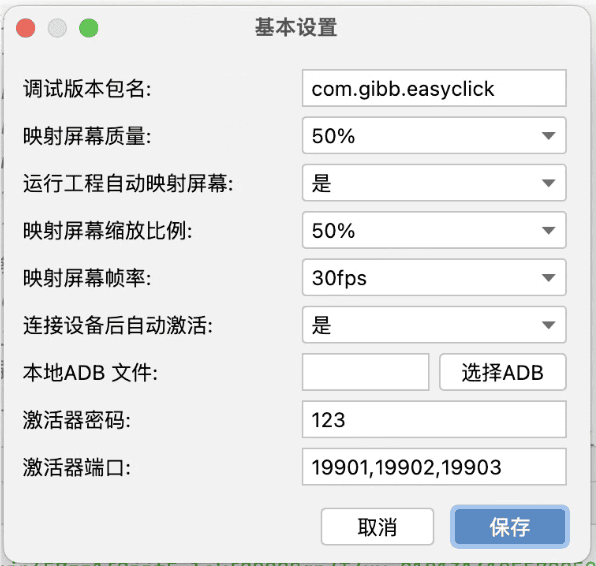
Debug version package name: Used together with packaging a debug APK; enter the debug APK package name here to identify the debug appLocal ADB file: Select your own configured ADB executable; the default usually does not need to be changedActivator password and activator port: Used with the activator; generally do not modify- The other options are deprecated
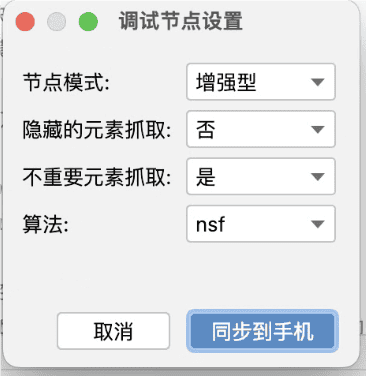
Debug Node Settings
Debug Environment Settings
-
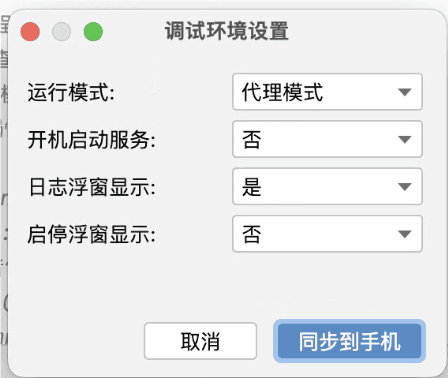
- Corresponds to some features in the EasyClick app’s system settings