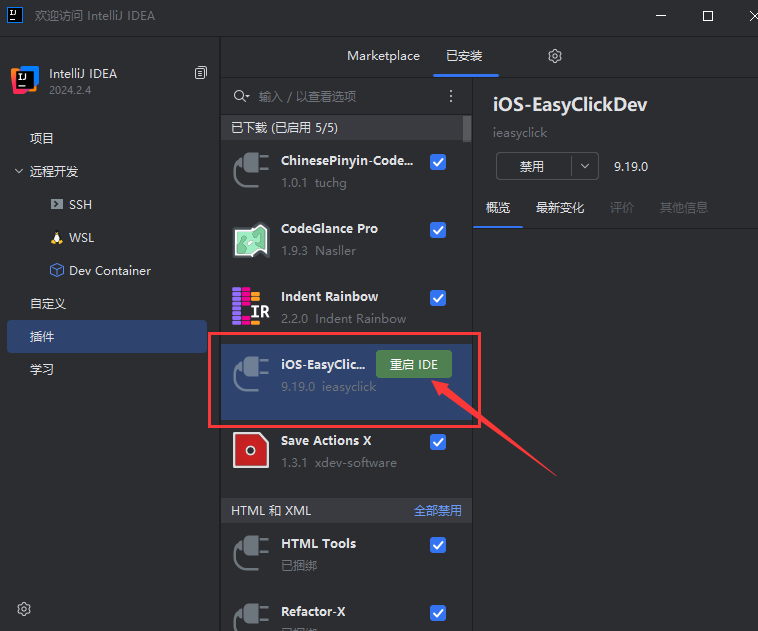
From cloud downloads: EC package → iOS resources → Dev plugin
Broader versions may still work, but strongly prefer IDEA 2026.2 or later; avoid older builds
Prefer IDEA 2026.2 or later — no IDEA activation required; install the plugin and use it. Avoid older IDEA versions — they often require cracking and will no longer be supported
If you prefer the classic look: open IDEA Settings → Plugins, search for Classic UI, install it, then restart IDEA to restore the classic UI
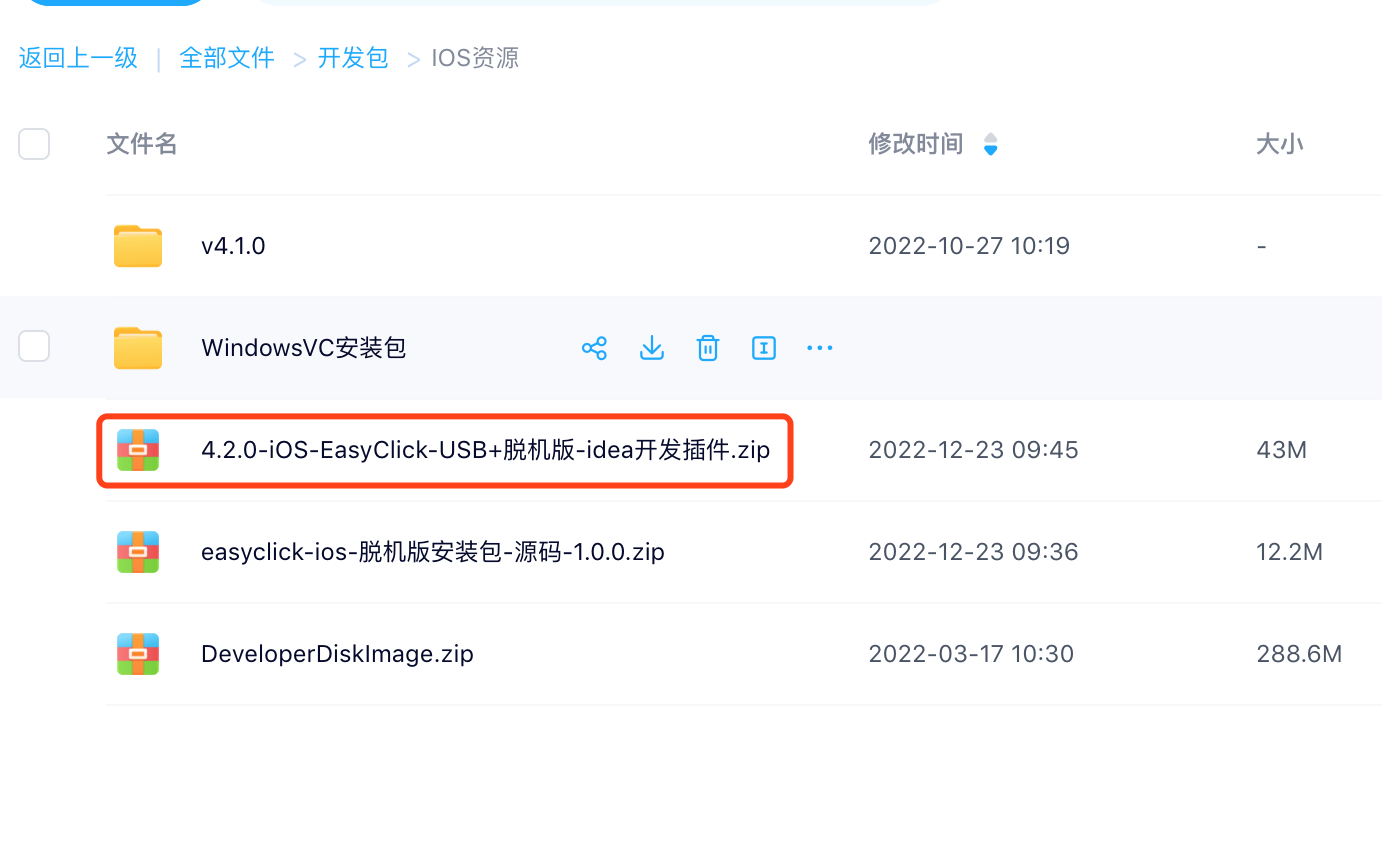
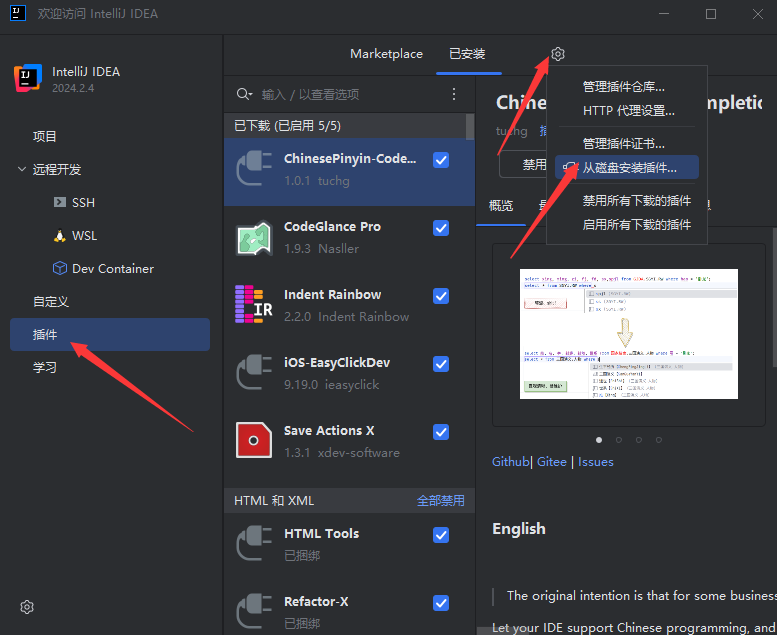 ### 2. Pick the plugin zip
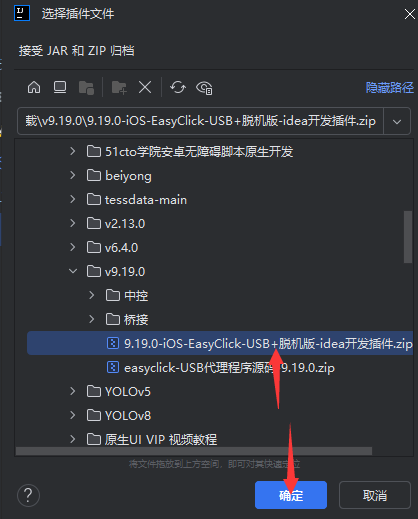 ### 3. Restart IDEA