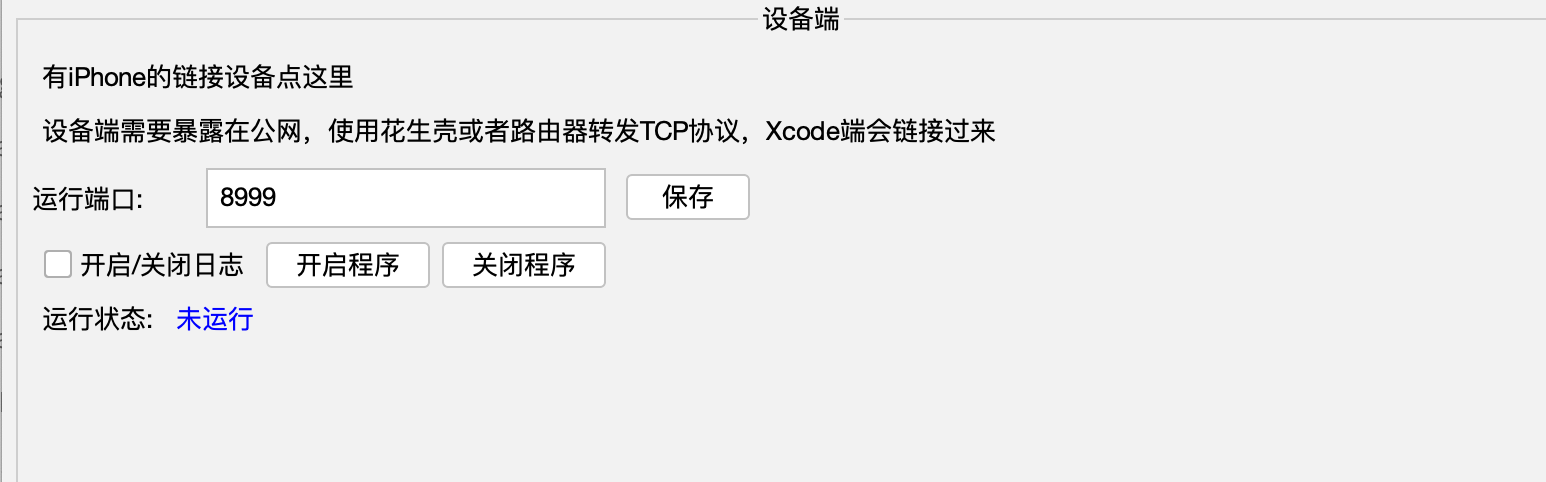
Download and install the control center program. This must be on macOS
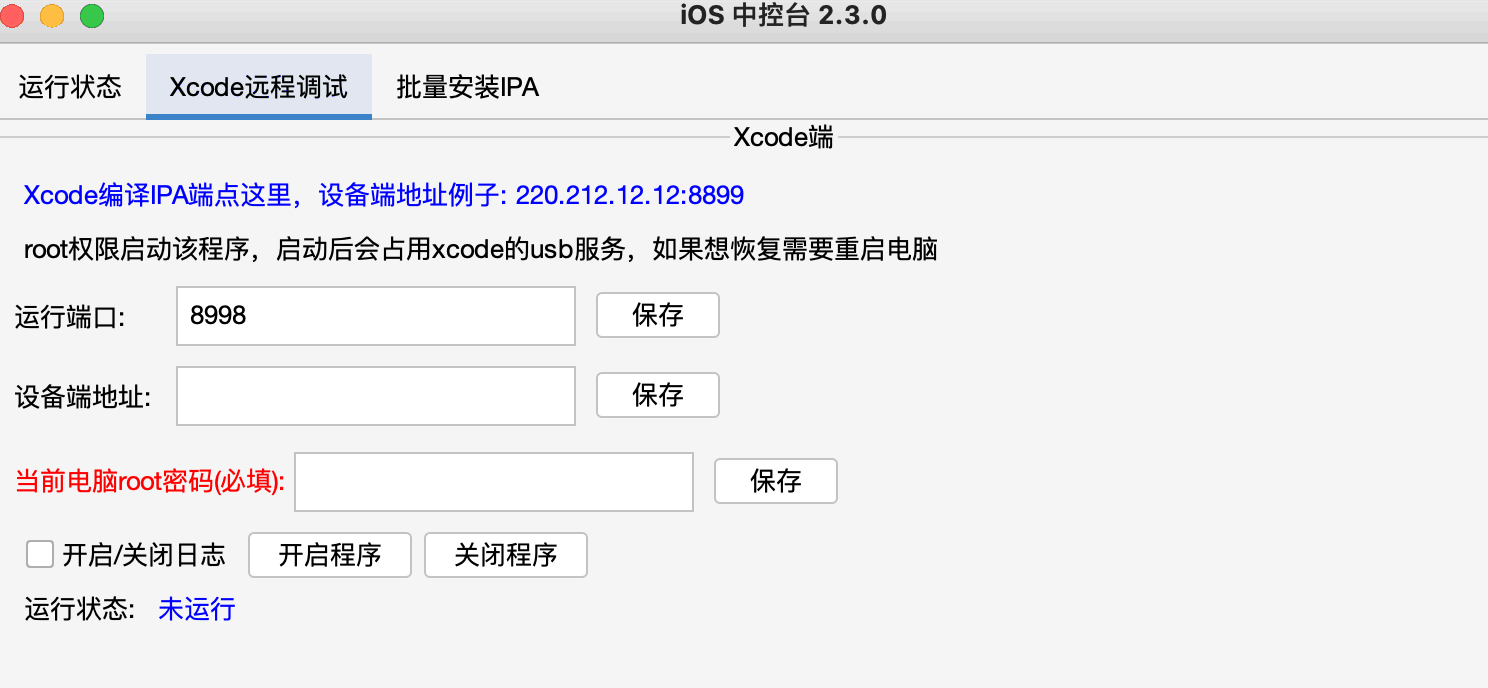
Go to the Xcode Remote Debugging option
Enter the device-side port address — the address exposed by PeanutHull. Domain or IP both work, e.g. 122.22.33.22:8999
Enter your Mac password, then click Save
Click Start Program and wait until the running status becomes Normal
Xcode Debugging
After the above steps, go to the Install Agent IPA workflow. You will see the remote phone and can install the IPA remotely following the normal installation flow
Terminal Mode Startup
Device Side Startup
Download the forwarder from the cloud drive
Extract it to a path without Chinese characters. Open Terminal and use cd to enter the iosforward folder
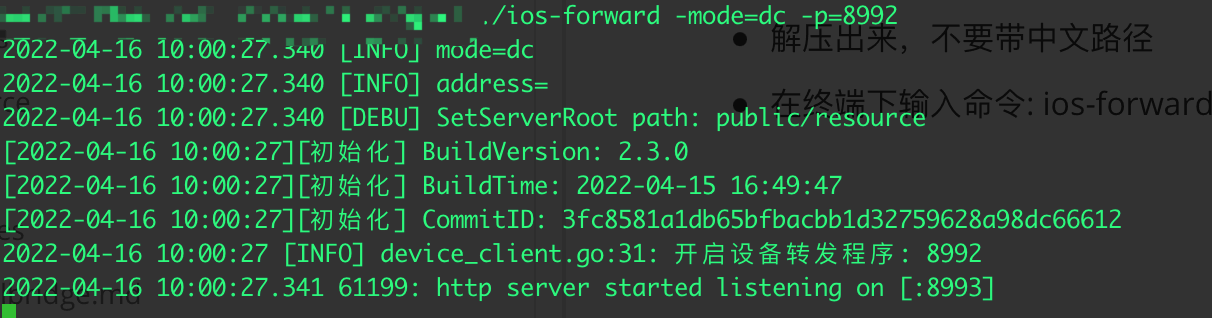
In Terminal, run: ios-forward -mode=dc -p=8992. On Mac; on Windows use ios-forward.exe -mode=dc -p=8992
-mode=dc means device client; -p=8992 sets the port to 8992 (port can be changed)
Xcode Side Startup
Download and extract the forwarder from the cloud drive to a path without Chinese characters. This must be on macOS
Open Terminal and use cd to enter the iosforward/macos folder
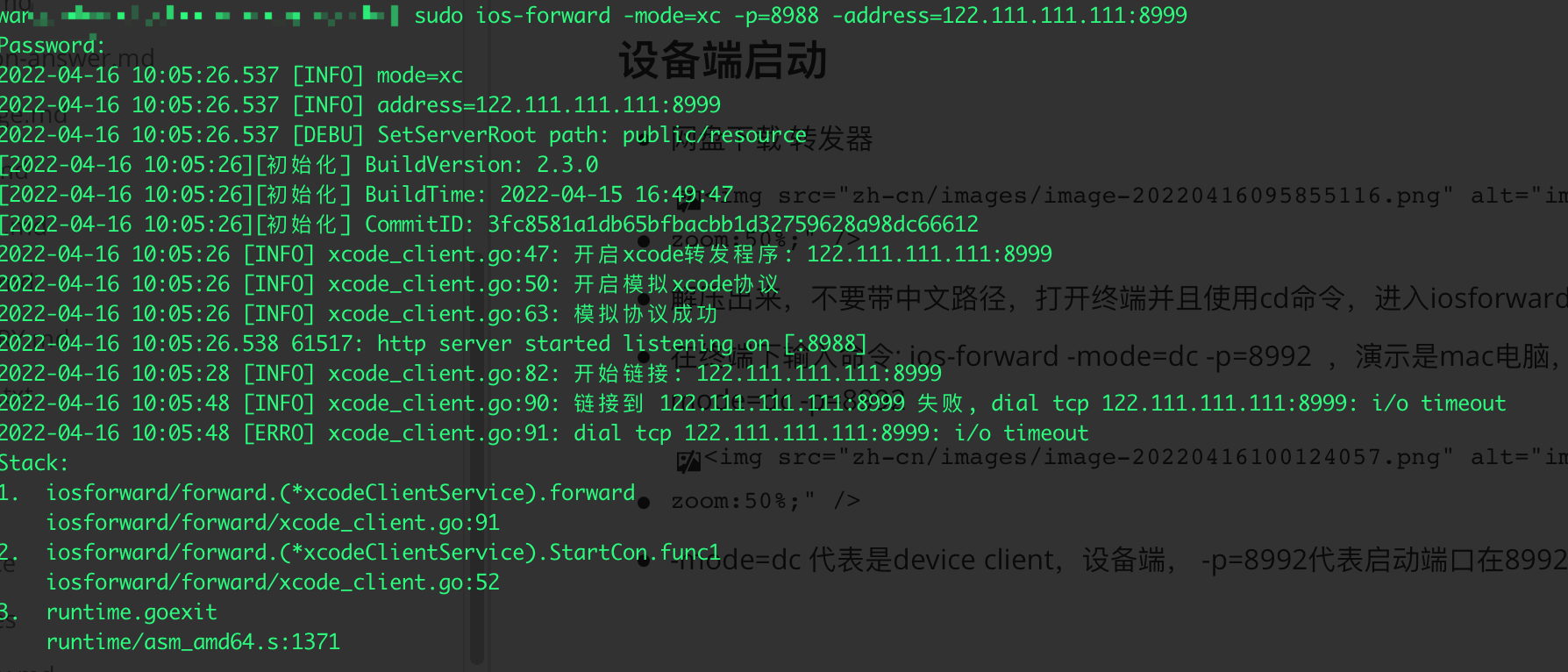
In Terminal, run: sudo ios-forward -mode=xc -p=8988 -address=122.111.111.111:8999
-mode=xc means Xcode client; -p is the runtime port; -address is the device-side address
If the remote connection fails, a connection failure message will appear
After all sides are started, proceed to the Install Agent IPA workflow. You will see the remote phone and can install the IPA remotely following the normal installation flow