System Deployment
- This document is obsolete
Single-PC Deployment
- Start the control center on the local machine and connect phones directly. No changes needed
Single-Board Computer — Raspberry Pi Standalone Deployment
Download Resources
- From the cloud drive, go to the bridge directory. Download
ios-bridge-armv7-2.9.0.zip(version 2.9.0; other versions are similar) - Extract to a fixed directory on the Raspberry Pi, e.g.
/home/bridge/under the current user
Modify Bridge Connection
- Modify the address connecting to the control center. See Control Center Configuration [site.remote] property — used so the control center knows when devices connect
Start Bridge
- Start the bridge program in the background:
nohup /home/bridge/ios-bridge & - To run in the foreground and view logs, run
/home/bridge/ios-bridgedirectly - The above operations require Linux command-line experience
Modify Control Center Configuration
-
Change how the control center calls the bridge. The default is short-connection mode. In this deployment mode the bridge and control center are on different machines, so IP configuration is required
-
Go to the control center Web Platform → Task Management → Device Monitoring, click Distributed Connection Mode Settings, select Short Connection Mode, and click Save
-
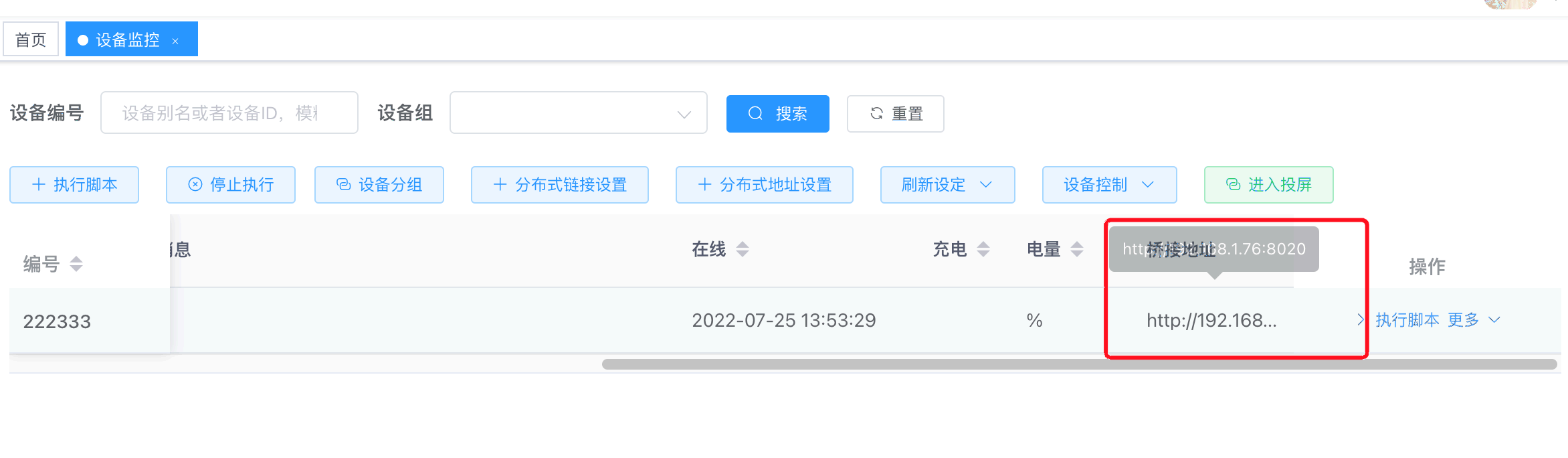
Click Distributed Address Settings, enter the IP address where the bridge runs, and click Start Setup. By default, devices will be automatically bound to the discovered IP
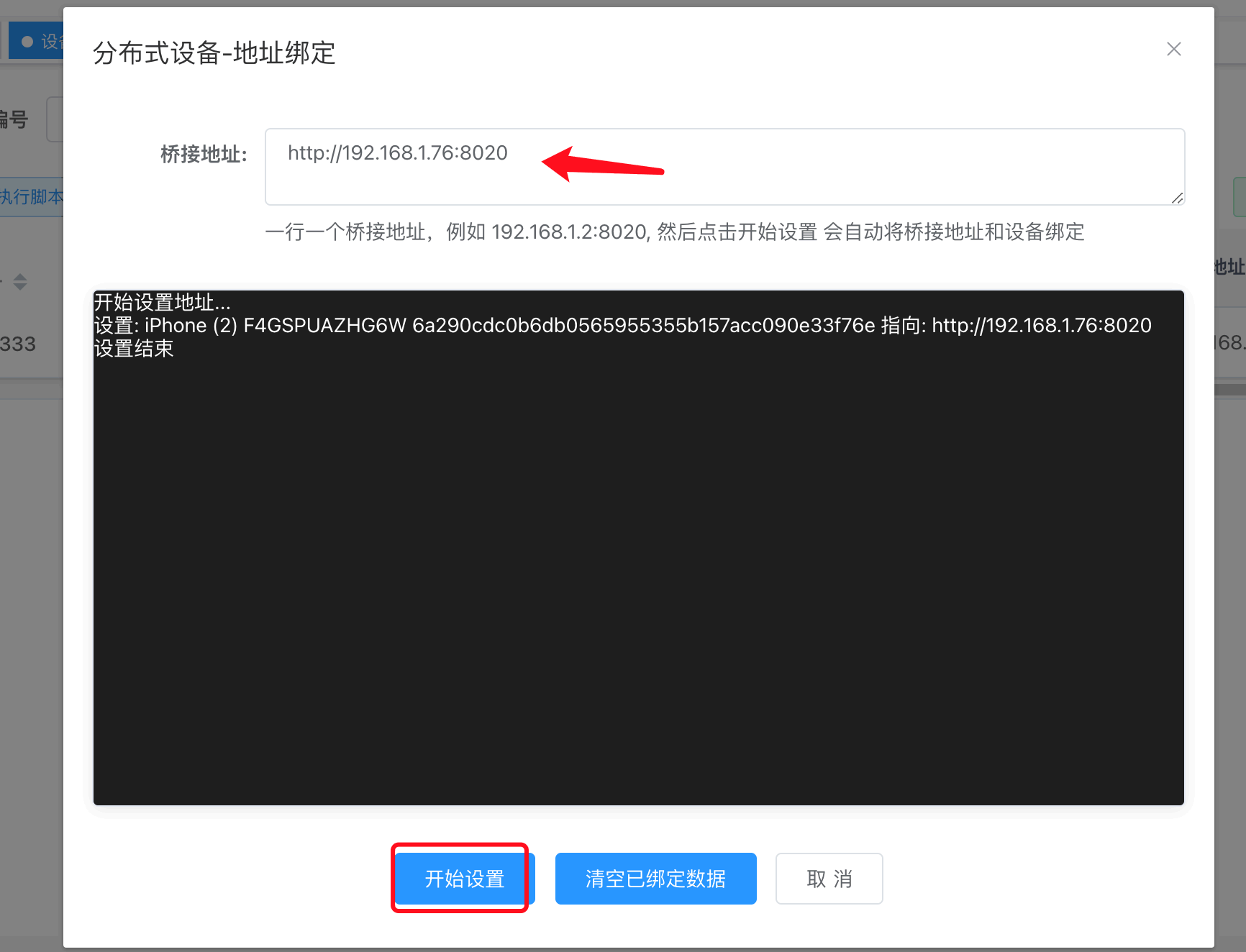
- View setup results
Long Connection Settings
- Note: If distributed connection mode is configured, you can skip the Modify Control Center Configuration section
Cluster Deployment
Cluster deployment follows [Single-Board Computer — Raspberry Pi Standalone Deployment]. You can extract the control center directly onto the bridge host and double-click to start it instead of using the command line.
For modifying the bridge and control center configuration, also refer to [Single-Board Computer — Raspberry Pi Standalone Deployment]