Install agent IPA
- App installed on iPhone/iPad to bridge PC ↔ phone communication and control the device
- Due to Apple restrictions, third-party IPAs not on the App Store must be signed before install
Use a personal developer account, TrollStore [recommended], or build from our source with Xcode on macOS
Signing & usage
Signing
- Free:
TrollStoreor TrollStore variants such as超然签; signature may be lost after reboot — re-sign the EasyClick agent; supportsiOS 15–iOS 16.6.1 - Paid: register a
personal developeraccount (¥688/year, up to 100 devices); supportsiOS 12+ - Paid: buy
personal / enterprise signingvia QQ groups, Taobao, Xianyu, etc.; note many only supportiOS 15+— verify before purchase - Use the signing tool from the cloud download area — third-party tools such as iTools are not supported → Signing tool guide
- Full signing guide → Full signing guide
Usage
- After signing, install to iPhone/iPad with
iToolsor similar; use together with the control center for ongoing operation - If install fails, search the forum for solutions
macOS source build
- For developers with a Mac only — not suited to large-scale deployment
Download agent source
Build the agent on macOS. To save cost, use a used Mac mini or a Hackintosh VM — many tutorials are available online.
Use Xcode to build; Xcode 13.1 is recommended.
You will need to configure Team and Automatic signing.
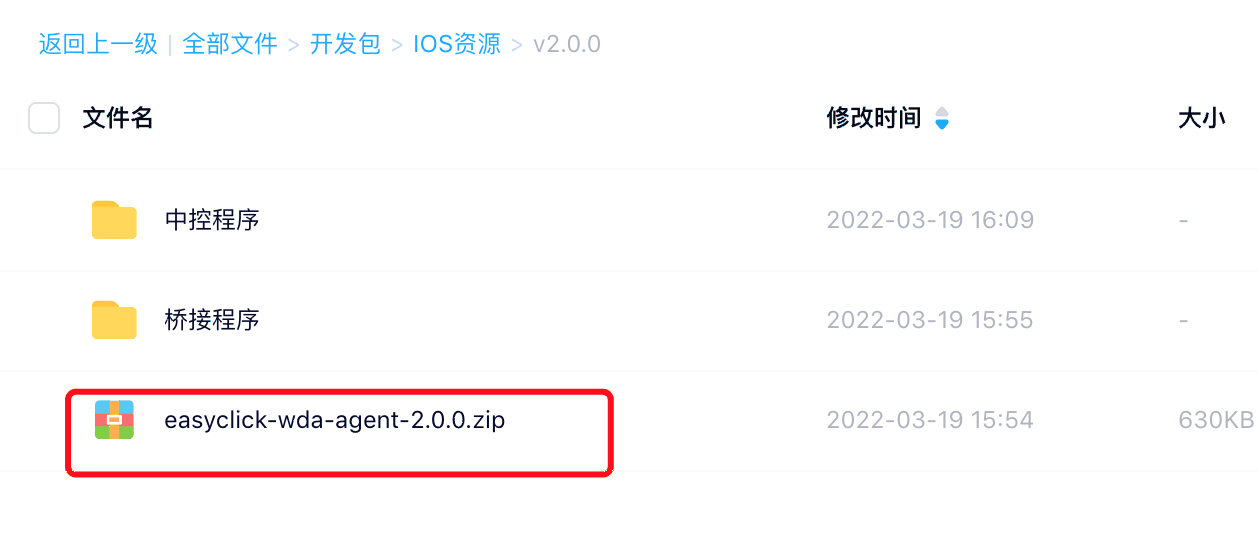
Download the archive from the resource area, extract locally.
Example: version 9.19.0
EC dev package → iOS resources → USB edition → v9.19.0 → easyclick-USB agent source-9.19.0.zip
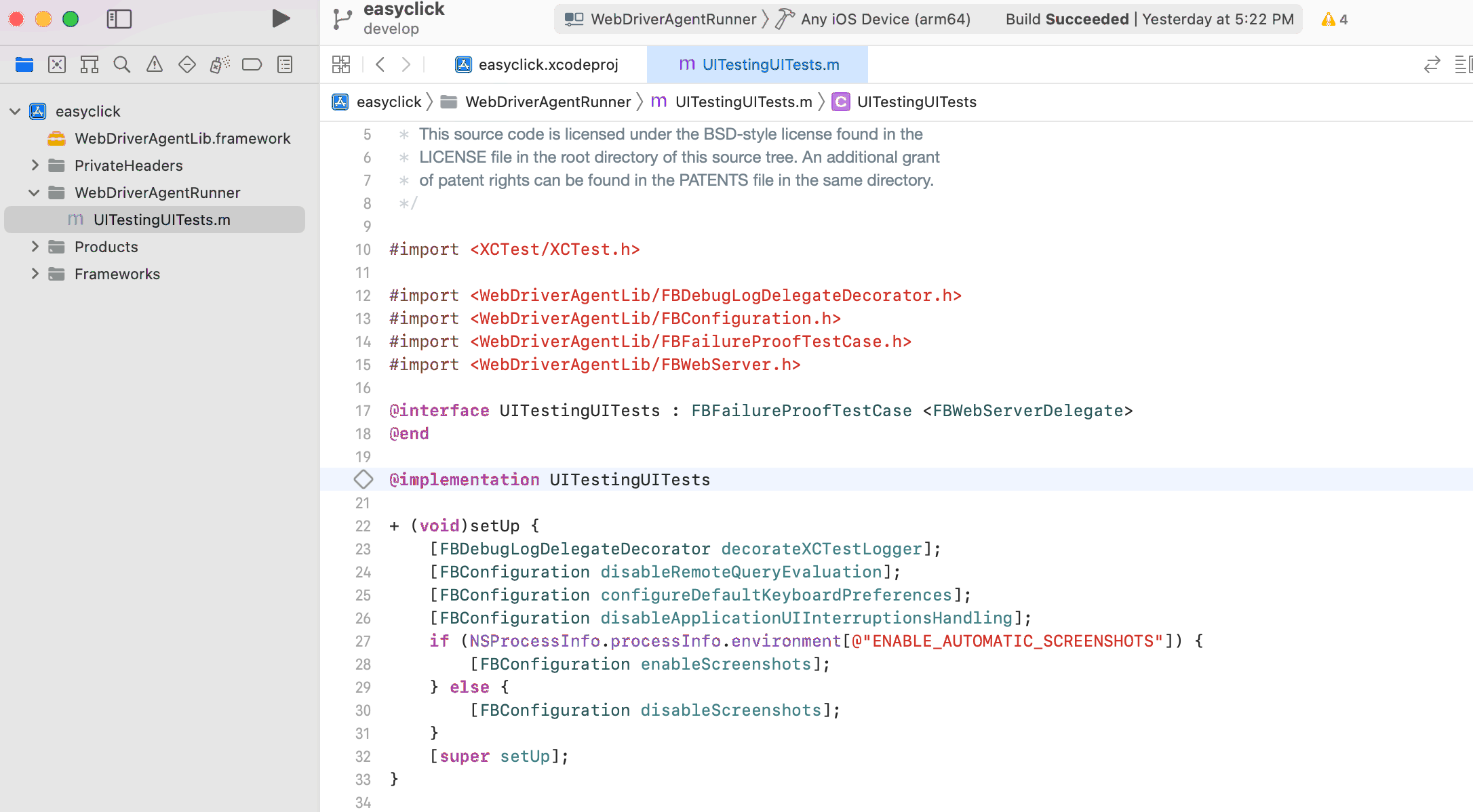
Double-click
easyclick.xcodeproj— Xcode opens the project
Configure signing
Signing types:
Standard Apple ID signing:
	- Free
	- Limits: 3 devices; bundle ID can be changed at most 3 times in 10 days;
		certificate expires in 7 days — rebuild/run agent source in Xcode again
  - URL: https://appleid.apple.com/account
Personal developer signing:
	- ¥688/year; for iPhone/iPad
	- Limits: 100 devices; certificate expires after one year — rebuild/run agent source in Xcode again
	- URL: https://developer.apple.com/cn/support/enrollment/
	- https://www.jianshu.com/p/029167817dde

This walkthrough uses free Apple ID signing.
Free Apple ID is fine for development and debugging.
For more than 3 production devices, use personal developer signing or many free Apple IDs.
Click the project in the top-left, open project settings, select WebDriverAgentRunner under TARGETS, switch to Signing & Capabilities:
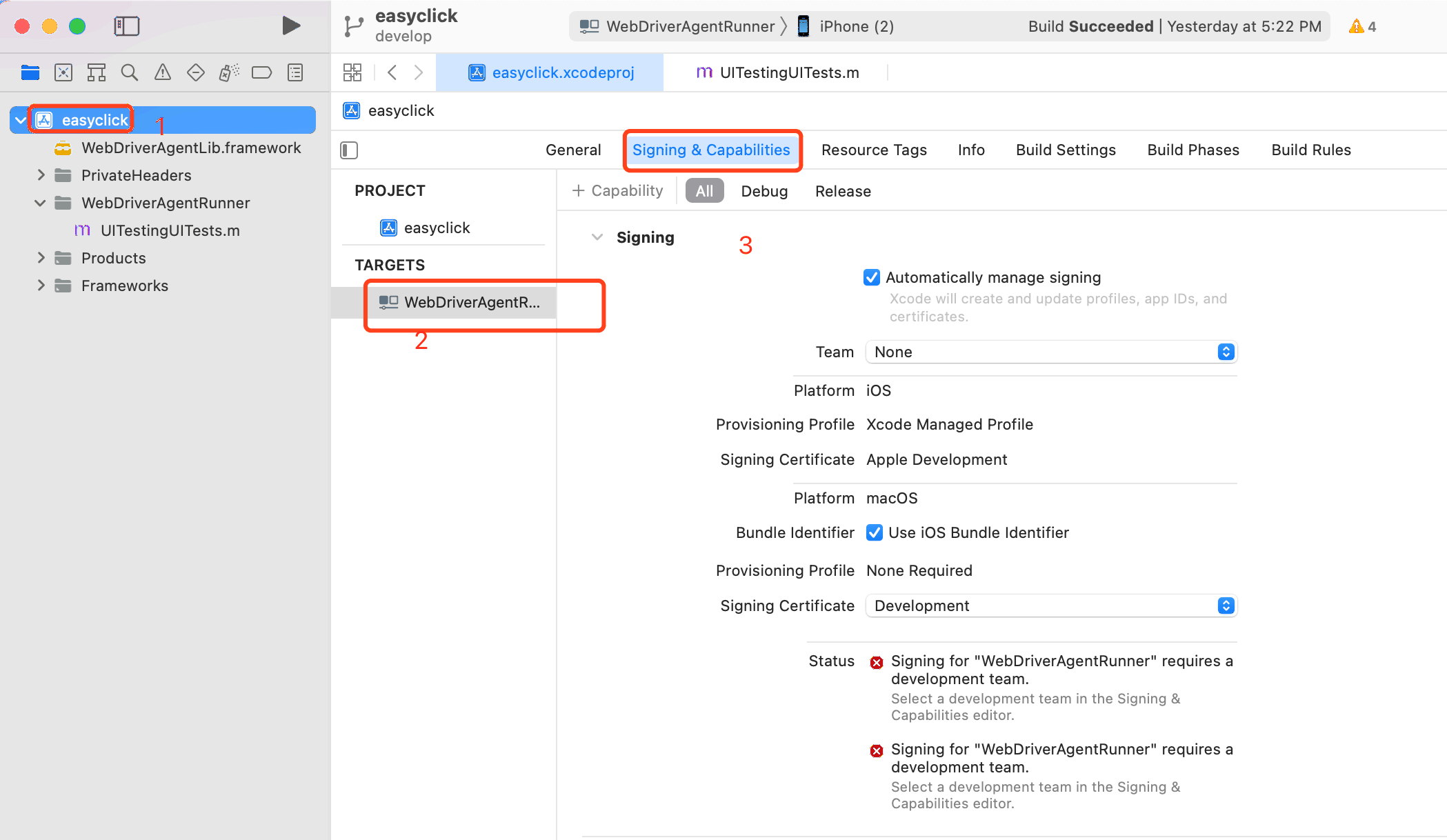
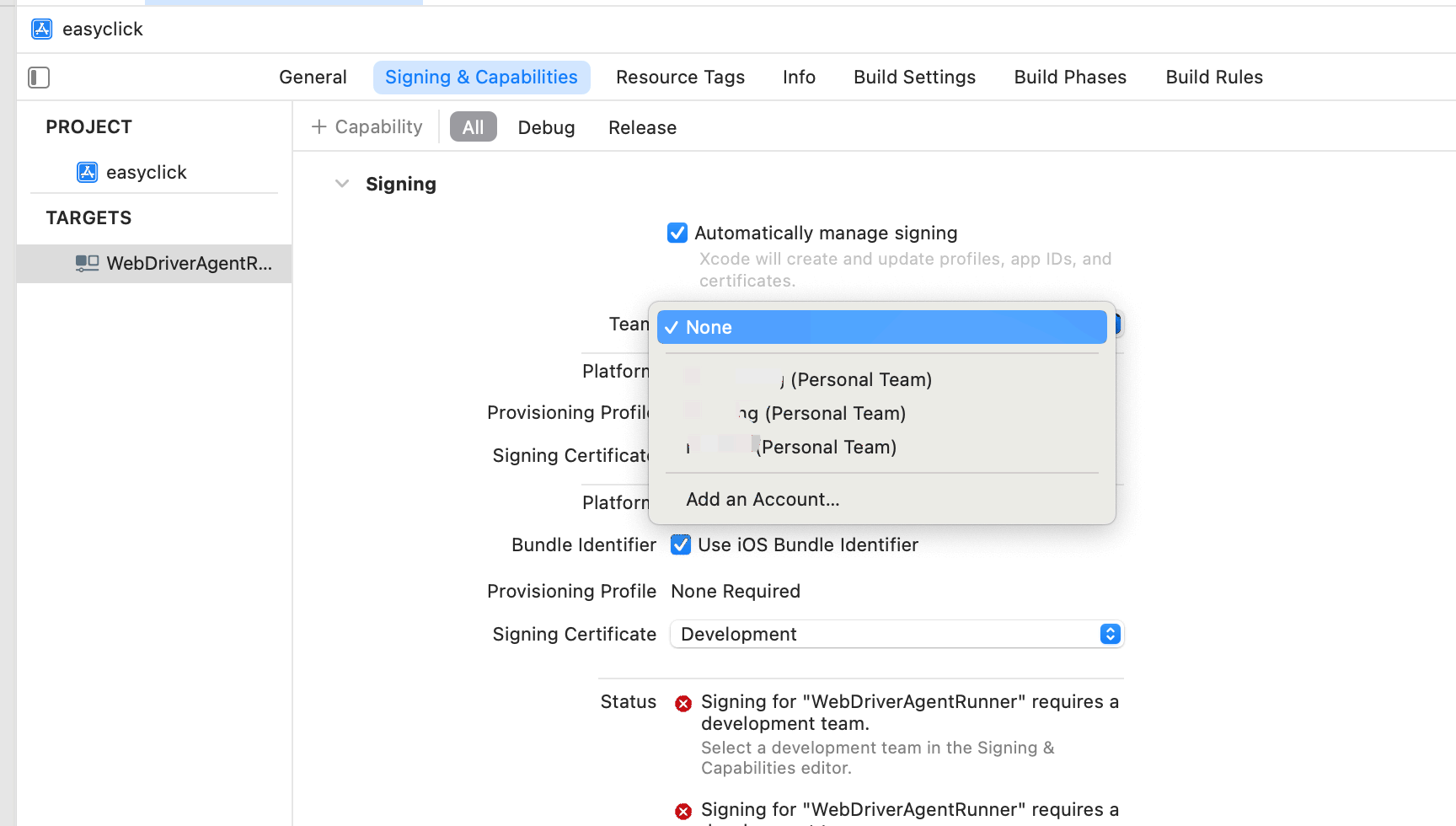
Default Team is None — choose your Apple account:
Or click Add Account to add one:
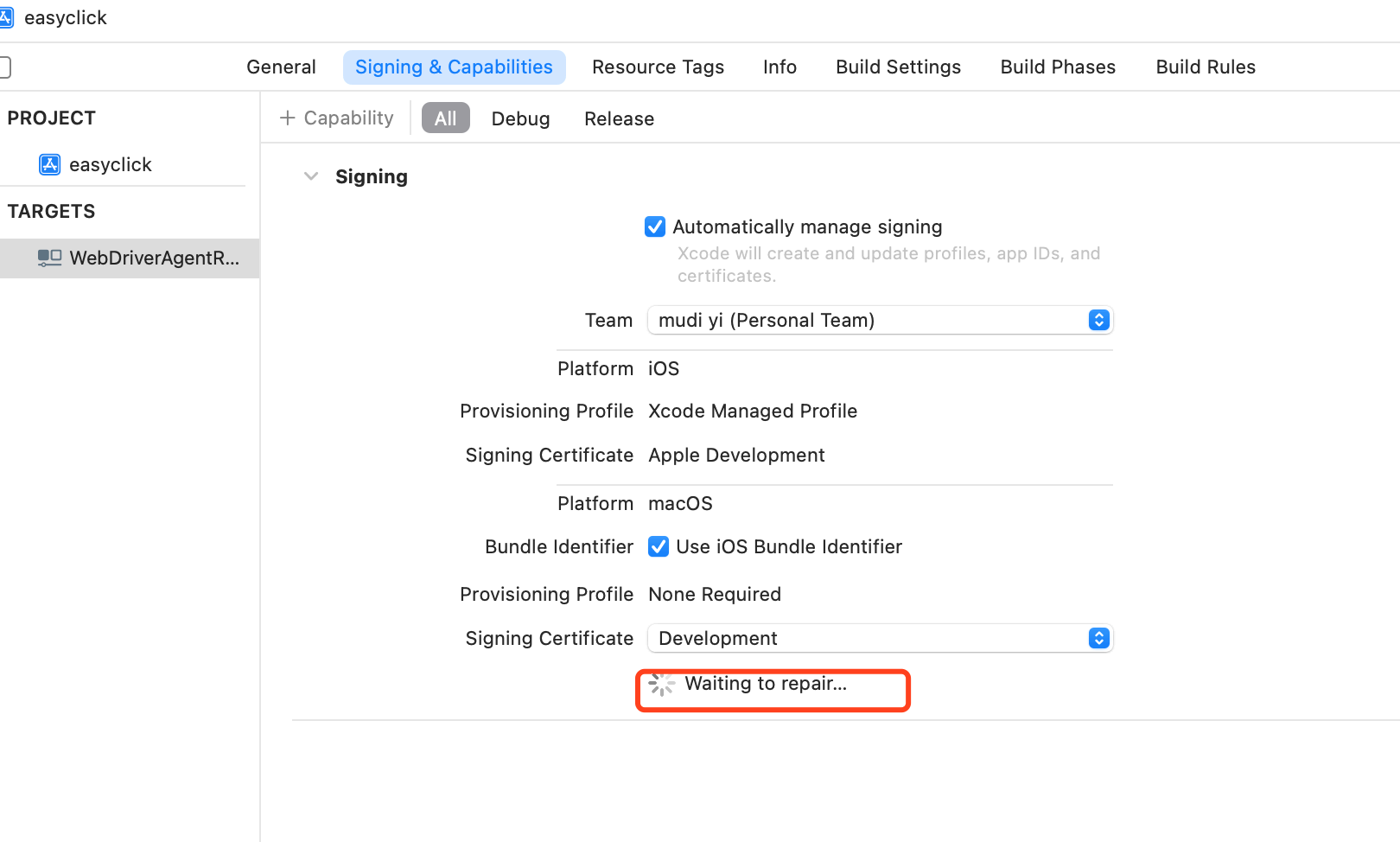
Automatic repair runs and shows Waiting to repair:
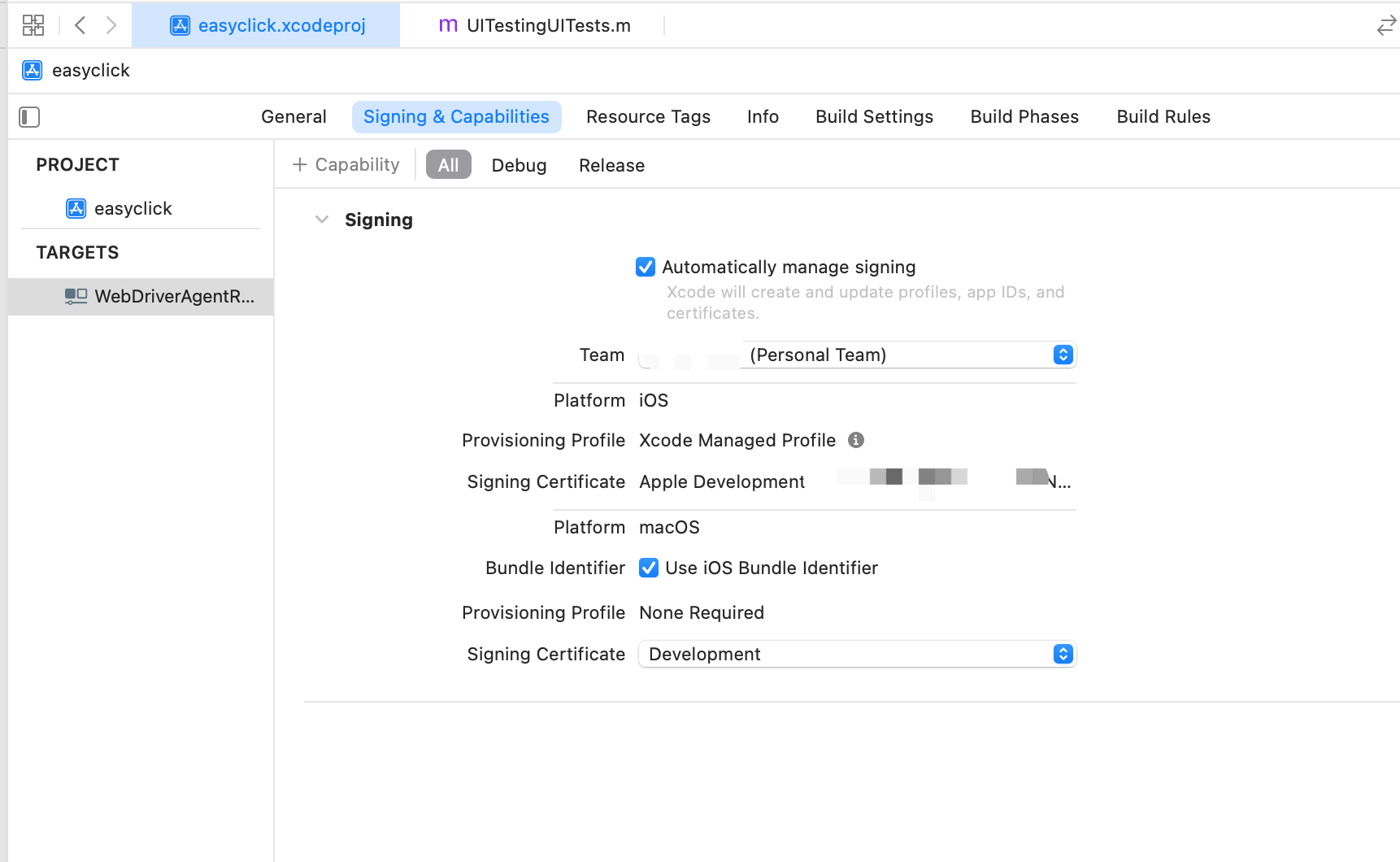
No other warnings or errors means signing and Profile creation succeeded:
Build and run
Connect iPhone to the Mac; after Xcode detects it, select the device:

Then use Product → Test to run and start the service.
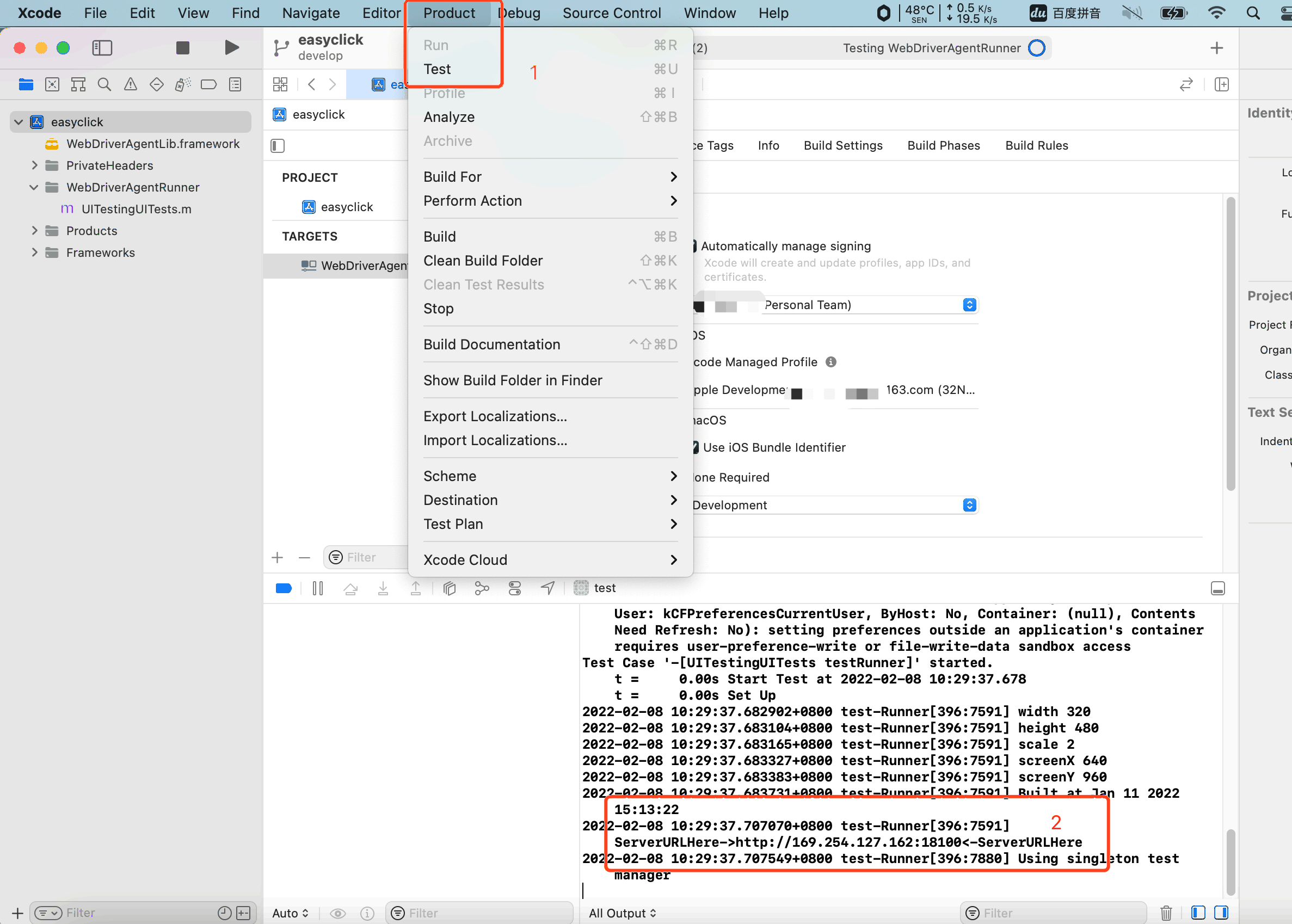
ServerURLHere in the console means the service started successfully
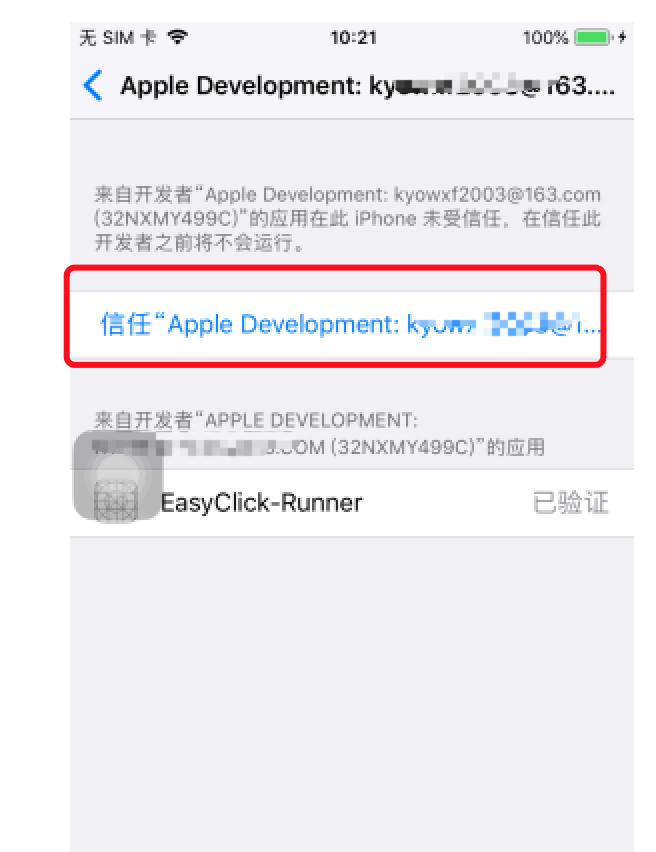
If this dialog appears, trust the app on the phone:
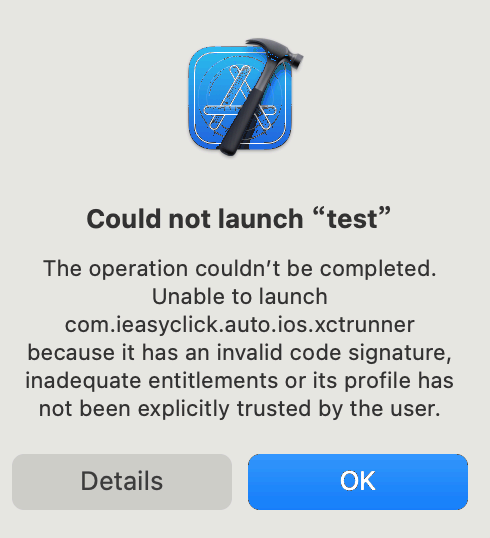
On the phone: Settings → General → VPN & Device Management → Developer App → Trust apple development: xxxx
Common errors
Failed to register bundle identifier
If automatic repair under Signing & Capabilities fails:
No profiles for 'com.ieasyclick.auto.ios' were found
Xcode couldn't find any iOS App Development provisioning profiles matching 'com.ieasyclick.auto.ios'.
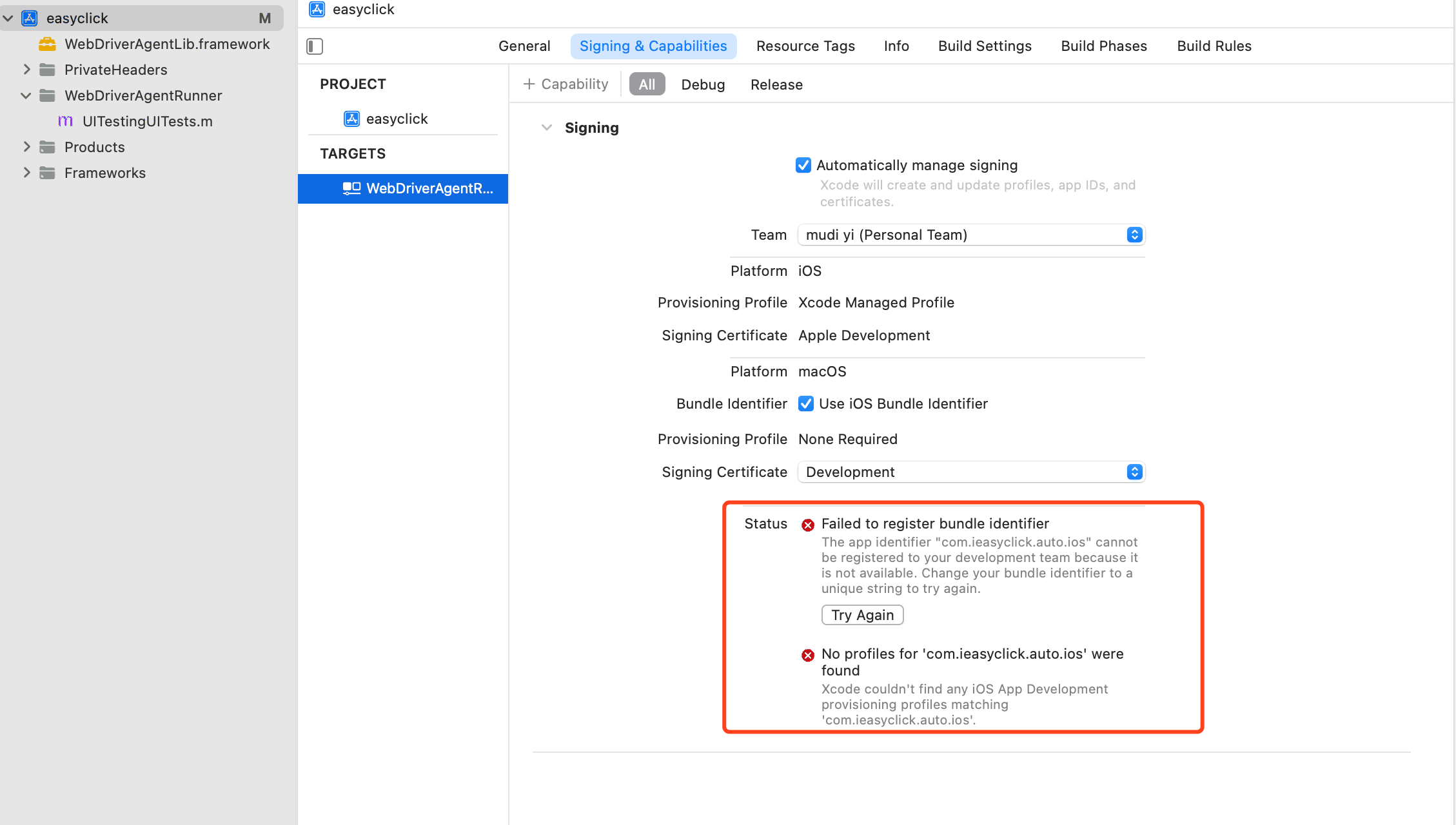
Cause: (likely) default ID com.ieasyclick.auto.ios already exists — duplicate prevents progress.
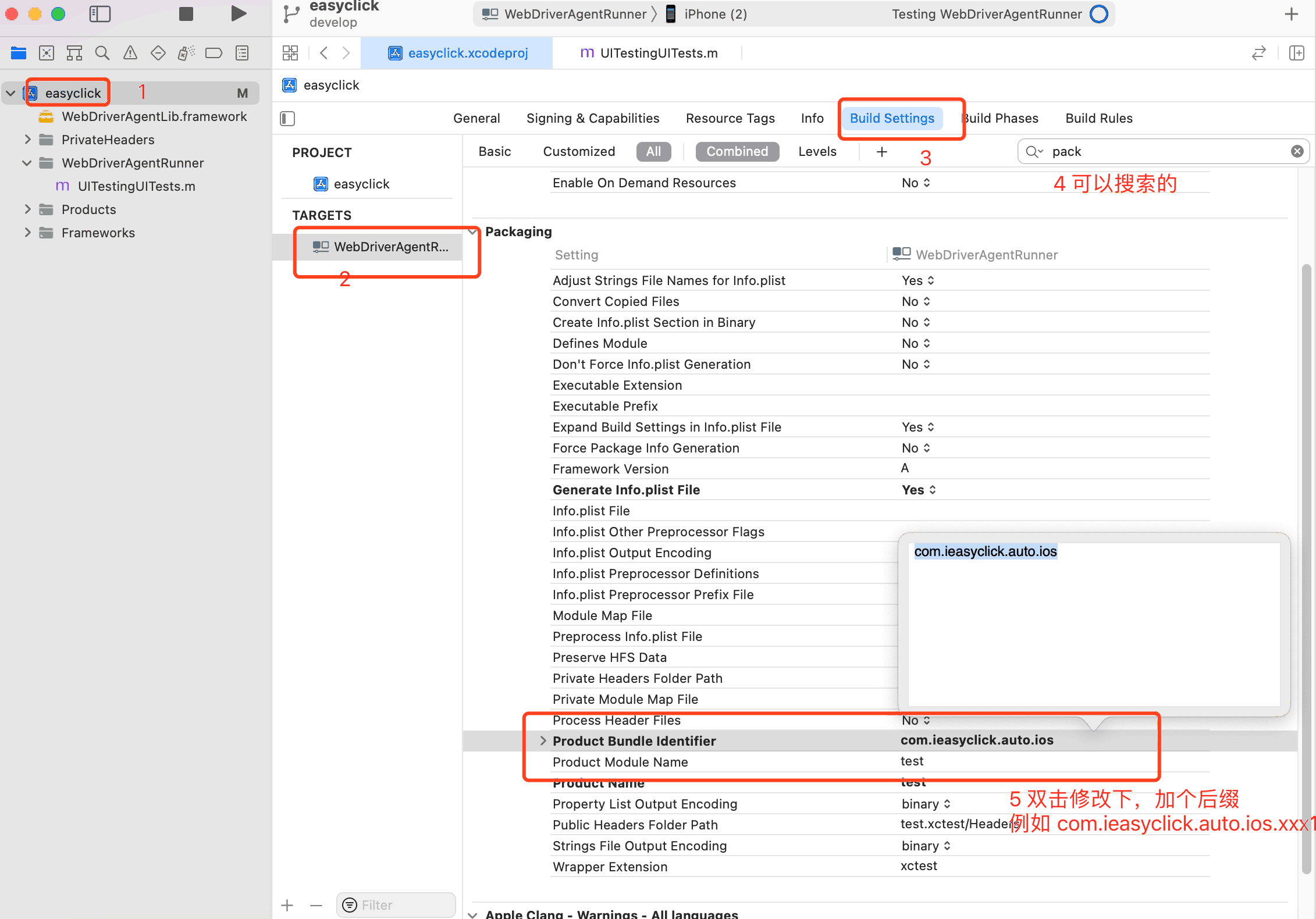
Fix: Change to a unique value.
Steps:
WebDriverAgentRunner properties → Build Settings → Packaging → Product Bundle Identifier
Change from default com.ieasyclick.auto.ios to a unique value, e.g. com.ieasyclick.auto.ios.xxxx1
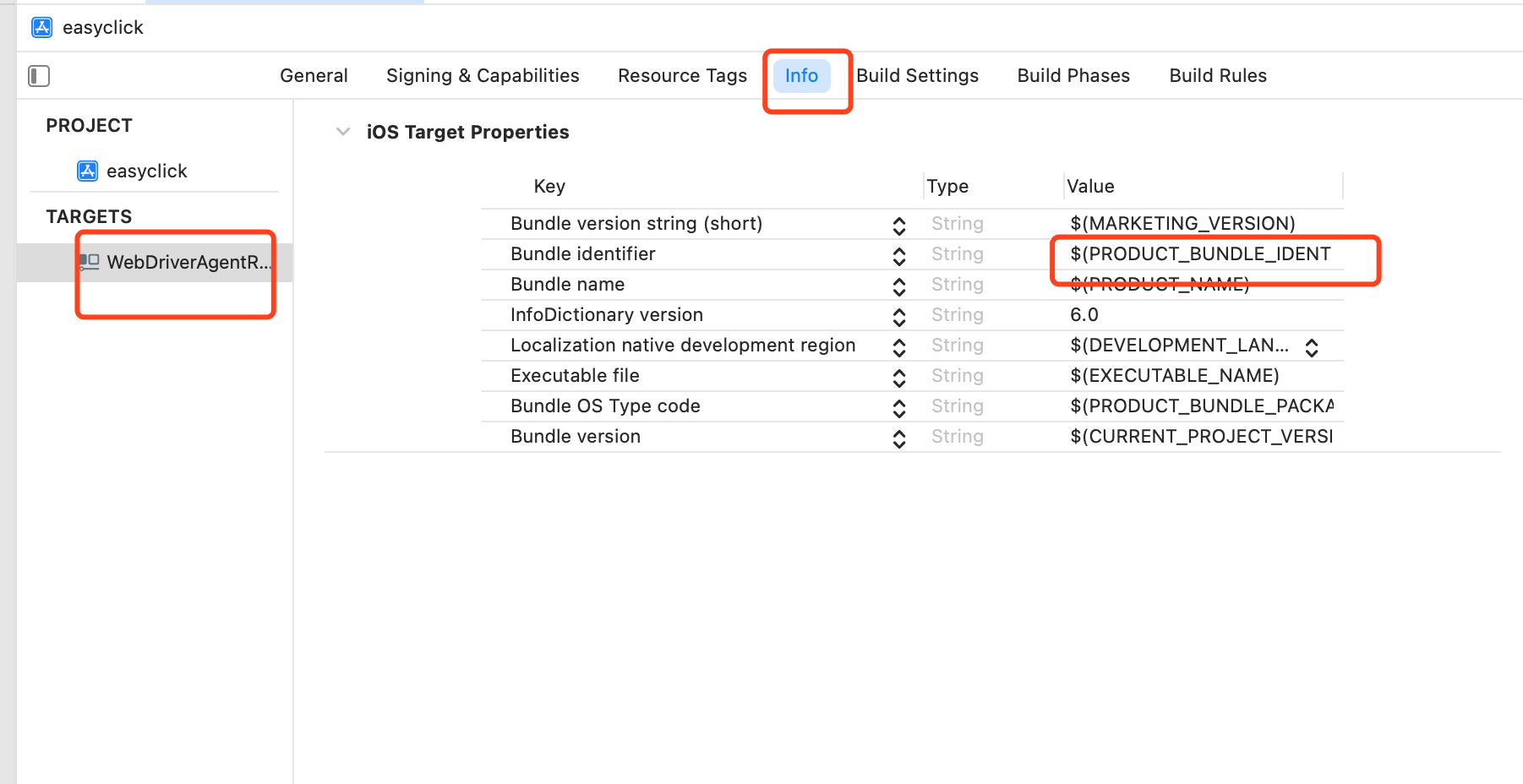
Other places reference this Product Bundle Identifier
Note: other settings reference Product Bundle Identifier, e.g.
Info → Key → Bundle Identifier: $(PRODUCT_BUNDLE_IDENTIFIER)
Xcode error: A build only device cannot be used to run this target
A build only device cannot be used to run this target.
No supported iOS devices are available. Connect a device to run your application or choose a simulated device as the destination.
Cause: Xcode has no valid run destination selected.
Fix: Connect iPhone and select the physical iOS device.
xcodebuild error: Signing certificate is invalid
Cause: Apple developer account expired — cannot code sign.
Fix: Renew the Apple developer account ($99/year).
Xcode error: The certificate used to sign has either expired or has been revoked
Unable to install "WebDriverAgentRunner-Runner"
The certificate used to sign "WebDriverAgentRunner-Runner" has either expired or has been revoked. An updated certificate is required to sign and install the application.
Click Details for more:
Details

Unable to install "WebDriverAgentRunner-Runner"
Domain: com.apple.dt.MobileDeviceErrorDomain
Code: -402620392
Recovery Suggestion: The certificate used to sign "WebDriverAgentRunner-Runner" has either expired or has been revoked. An updated certificate is required to sign and install the application.
--
The identity used to sign the executable is no longer valid.
Domain: com.apple.dt.MobileDeviceErrorDomain
Code: -402620392
User Info: {
    DVTRadarComponentKey = 487925;
    MobileDeviceErrorCode = "(0xE8008018)";
    "com.apple.dtdevicekit.stacktrace" = (
     0 DTDeviceKitBase 0x000000011d4bcc8f DTDKCreateNSErrorFromAMDErrorCode + 220
     1 DTDeviceKitBase 0x000000011d4fb241 __90-[DTDKMobileDeviceToken installApplicationBundleAtPath:withOptions:andError:withCallback:]_block_invoke + 155
     2 DVTFoundation 0x0000000101ba464b DVTInvokeWithStrongOwnership + 71
     3 DTDeviceKitBase 0x000000011d4faf82 -[DTDKMobileDeviceToken installApplicationBundleAtPath:withOptions:andError:withCallback:] + 1440
     4 IDEiOSSupportCore 0x000000011d36ba10 __118-[DVTiOSDevice(DVTiPhoneApplicationInstallation) processAppInstallSet:appUninstallSet:installOptions:completionBlock:]_block_invoke.292 + 3513
     5 DVTFoundation 0x0000000101cd317e __DVT_CALLING_CLIENT_BLOCK__ + 7
     6 DVTFoundation 0x0000000101cd4da0 __DVTDispatchAsync_block_invoke + 1191
     7 libdispatch.dylib 0x00007fff6db306c4 _dispatch_call_block_and_release + 12
     8 libdispatch.dylib 0x00007fff6db31658 _dispatch_client_callout + 8
     9 libdispatch.dylib 0x00007fff6db36c44 _dispatch_lane_serial_drain + 597
     10 libdispatch.dylib 0x00007fff6db375d6 _dispatch_lane_invoke + 363
     11 libdispatch.dylib 0x00007fff6db40c09 _dispatch_workloop_worker_thread + 596
     12 libsystem_pthread.dylib 0x00007fff6dd8ba3d _pthread_wqthread + 290
     13 libsystem_pthread.dylib 0x00007fff6dd8ab77 start_wqthread + 15
);
}
--

System Information

macOS Version 10.15.7 (Build 19H2)
Xcode 12.4 (17801) (Build 12D4e)
Timestamp: 2021-04-13T21:17:10+08:00
Cause: Apple developer account expired — certificate invalid.
Fix: Renew as above.