iOS USB PC hardware and customer cases
These are real customer / student PCs plus community buying notes. How many phones one machine can hold depends on mirroring vs script-only, quality/FPS, cables, and power. Treat numbers as examples, not a guaranteed device count.
Install steps: USB edition beginner install.
What to buy
Pick the motherboard USB first, then CPU / RAM. Common boards in the community are large B85 and X79 boards (search “ASUS B85 ATX” and similar). Device count is mostly USB bandwidth; many people use USB 2.0 ports for stability.
| Goal | Common community builds |
|---|---|
| Average scripts, more ports | Xeon E5 + 32 GB; i3 / i5 / i7 + 16 GB also works |
| Board examples | South China X79 single-socket E5; ASUS B85M-F + i7 and other large B85 boards |
If you run out of ports, add a PCIe USB card (search “USB PCIe expansion”). Two common types:
- PCIe x4 to several Type-C ports (many are driverless, no extra PSU)
- PCIe to USB 3.0 with independent channels (more bandwidth)
For larger racks, split the work: several i5 + B85 PCs as bridges (tens of phones each), one E5 + 10GbE NIC + 10GbE switch as the control host. Higher counts exist in the community; measure on your own load.
Lag, delay, flicker
Software
- Do not lock the phone; if it locked, reboot and start automation again
- Lower mirroring FPS and quality
- Try each mirroring mode; reopen or refresh the mirroring window after changing
- Factory reset or OS upgrade if it still fails
Hardware
- Prefer motherboard USB 2.0 on a full-size board; X79 is often recommended; some disable xHCI in BIOS
- Use USB 2.0 hubs with their own PSU (~2A), such as powered industrial hubs
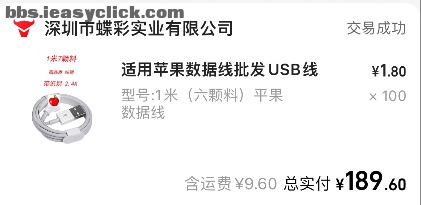
- Use branded or original / MFi cables; cheap cables drop often
Customer cases
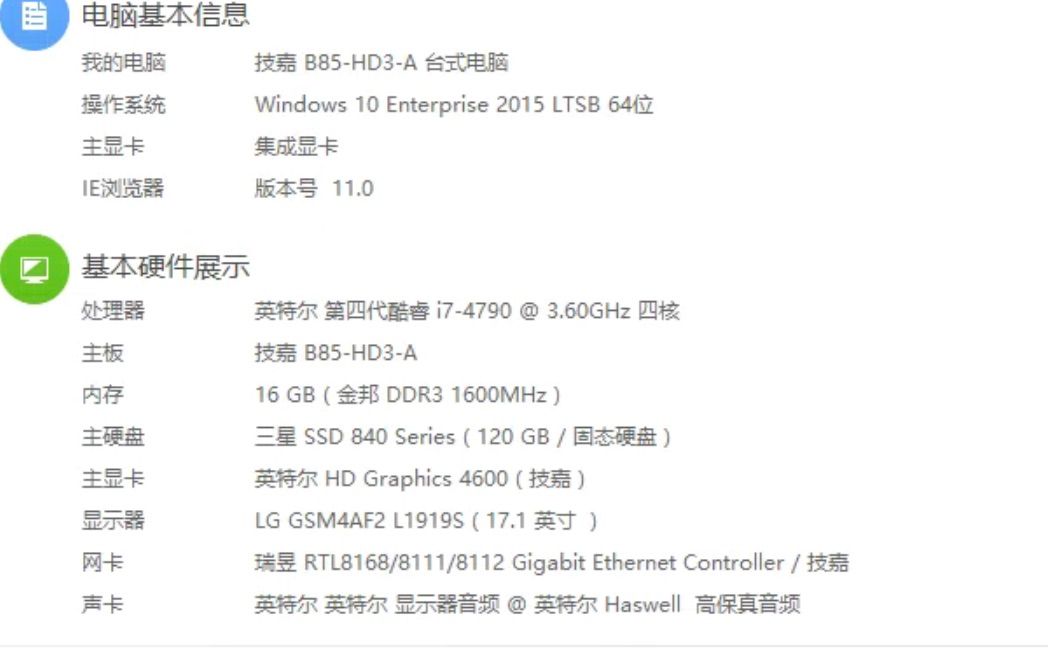
Case 1: Gigabyte B85 + i7-4790 + 16 GB
Student desktop, Windows 10.
- CPU: Intel i7-4790 3.60 GHz quad-core
- Board: Gigabyte B85-HD3-A
- RAM: 16 GB DDR3
- Disk: 120 GB SSD
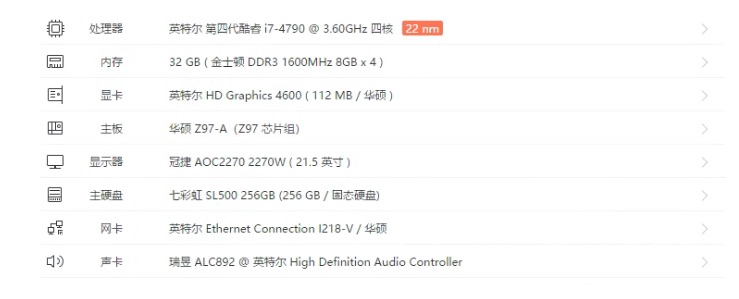
Case 2: ASUS Z97 + i7-4790 + 32 GB
- CPU: Intel i7-4790 3.60 GHz quad-core
- Board: ASUS Z97-A
- RAM: 32 GB DDR3
- Disk: 256 GB SSD
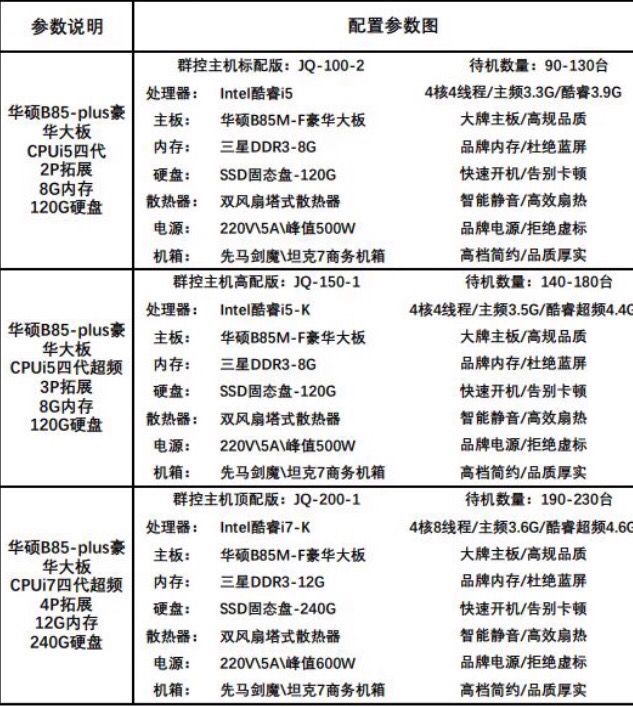
Case 3: B85 bundle (vendor claimed counts — not official)
Marketplace bundle screenshot: 4th-gen i5 / i5-K / i7-K, ASUS B85M-F, 8–12 GB RAM. The “standby count” on the image is seller marketing, not an EasyClick lab result.
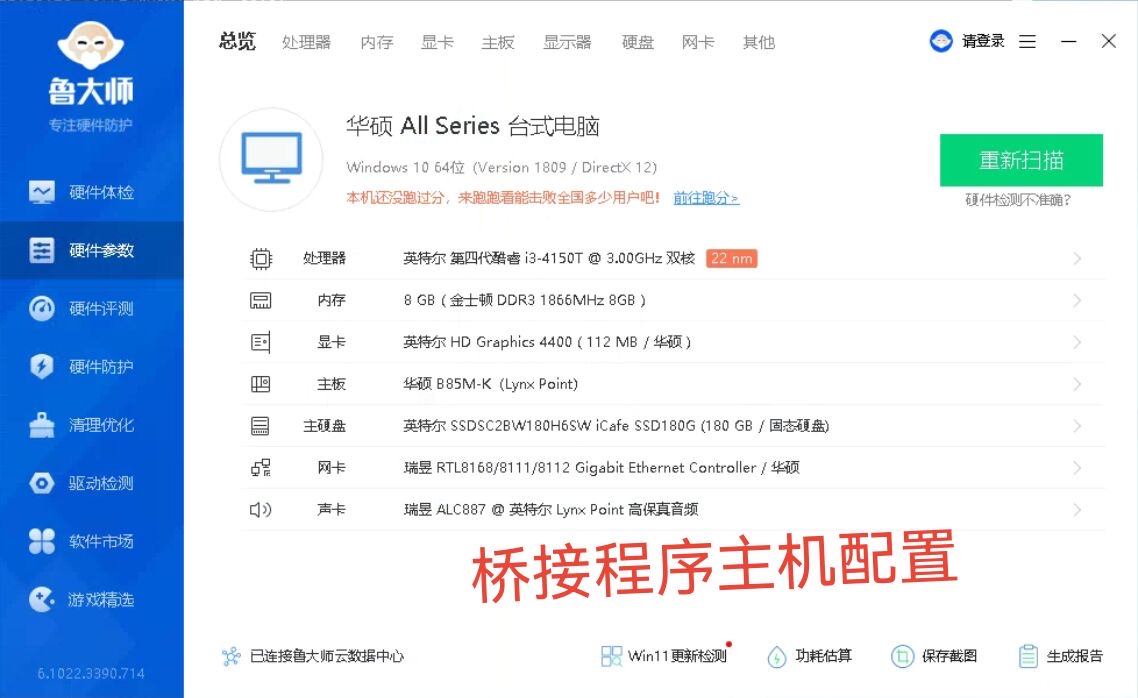
Case 4: Bridge host (ASUS B85 + i3-4150T + 8 GB)
Marked as a bridge-process host — a smaller box for the split-bridge layout above.
- CPU: Intel i3-4150T 3.00 GHz dual-core
- Board: ASUS B85M-K
- RAM: 8 GB DDR3
- Disk: 180 GB SSD
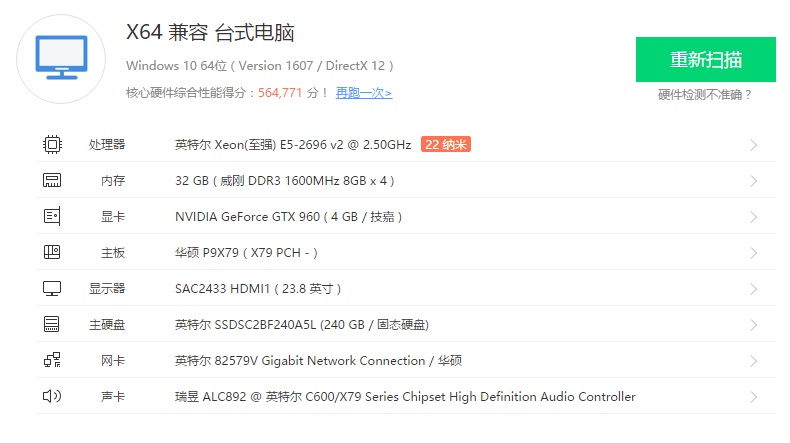
Case 5: ASUS X79 + E5-2696 v2 + 32 GB
- CPU: Intel Xeon E5-2696 v2 2.50 GHz
- Board: ASUS P9X79
- RAM: 32 GB DDR3
- GPU: GTX 960
- Disk: 240 GB SSD
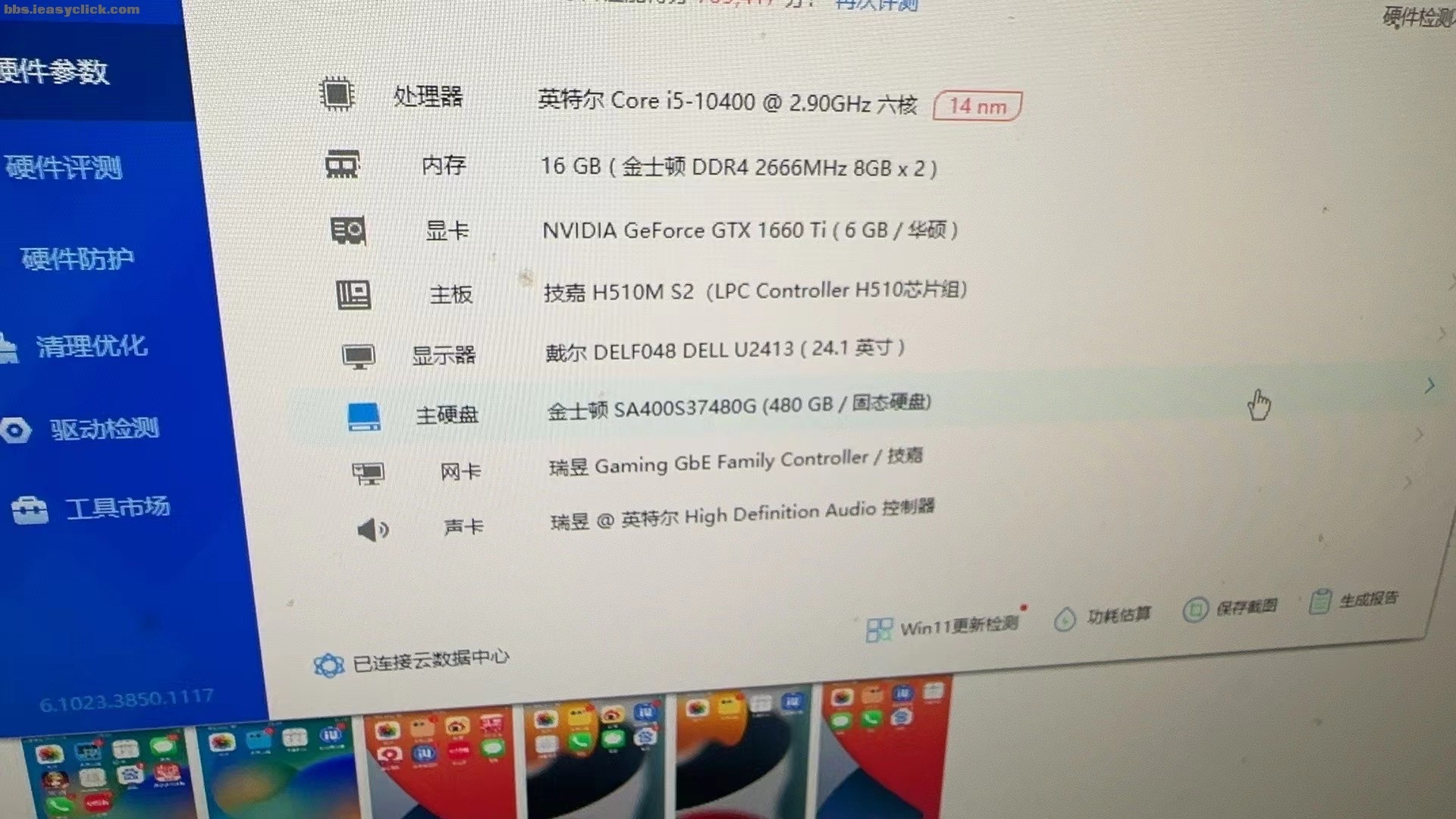
Case 6: About 94 phones mirroring (i5-10400 + 16 GB)
Customer report of about 94 concurrent mirroring sessions. Forum post: PC config for 94 mirrored devices.
- CPU: Intel i5-10400 2.90 GHz six-core
- Board: Gigabyte H510M S2
- RAM: 16 GB DDR4
- GPU: GTX 1660 Ti
- Disk: 480 GB SSD
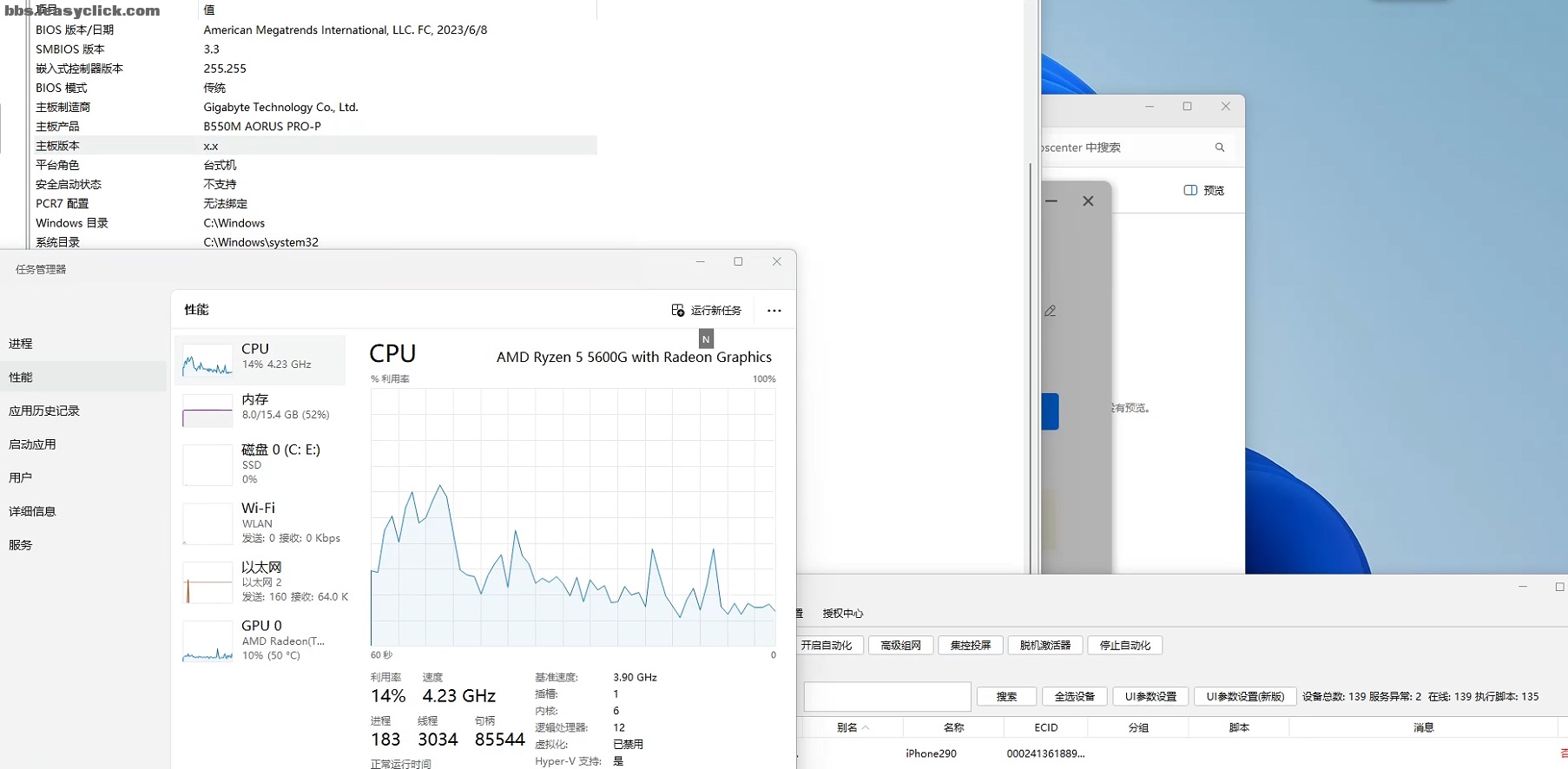
Case 7: About 160 phones, scripts + mirroring (B550 + R5 5600G)
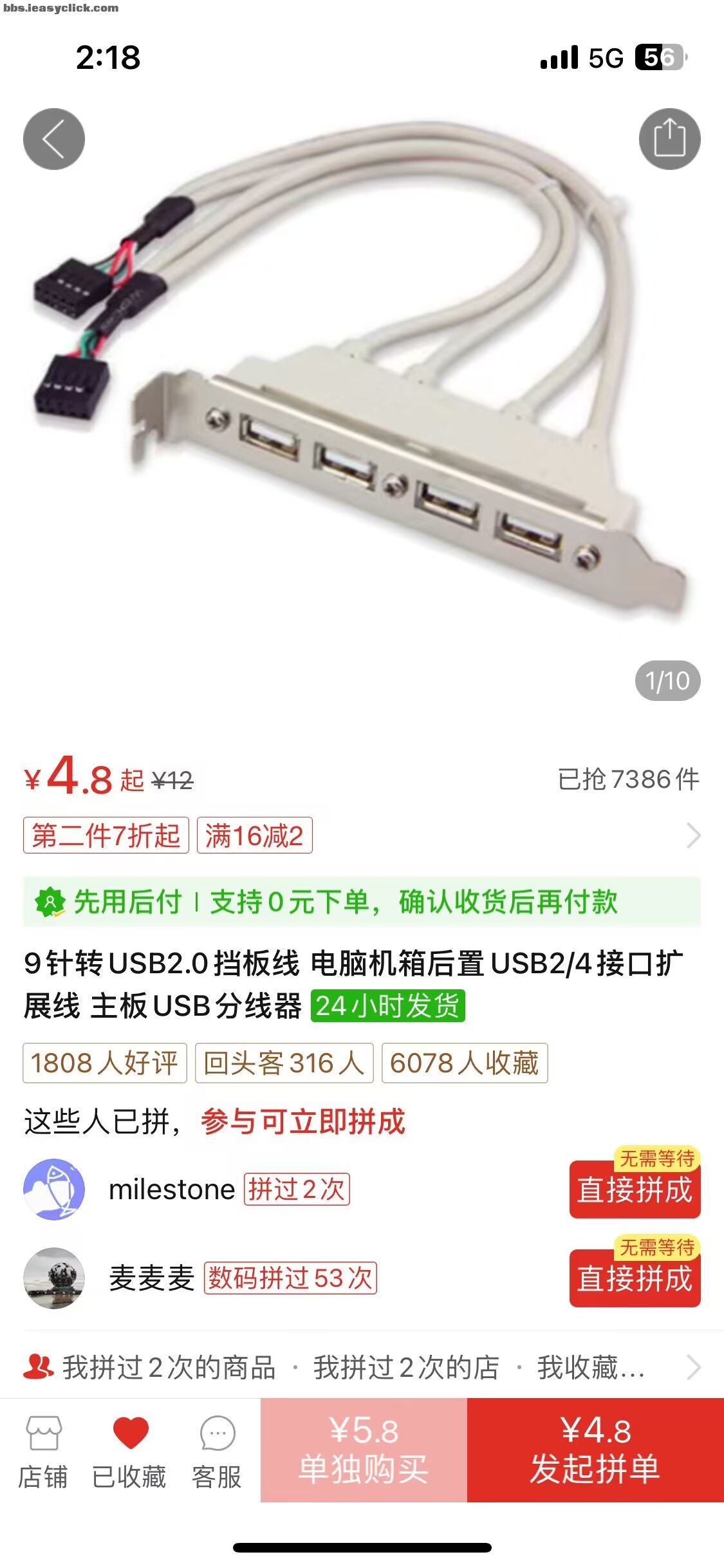
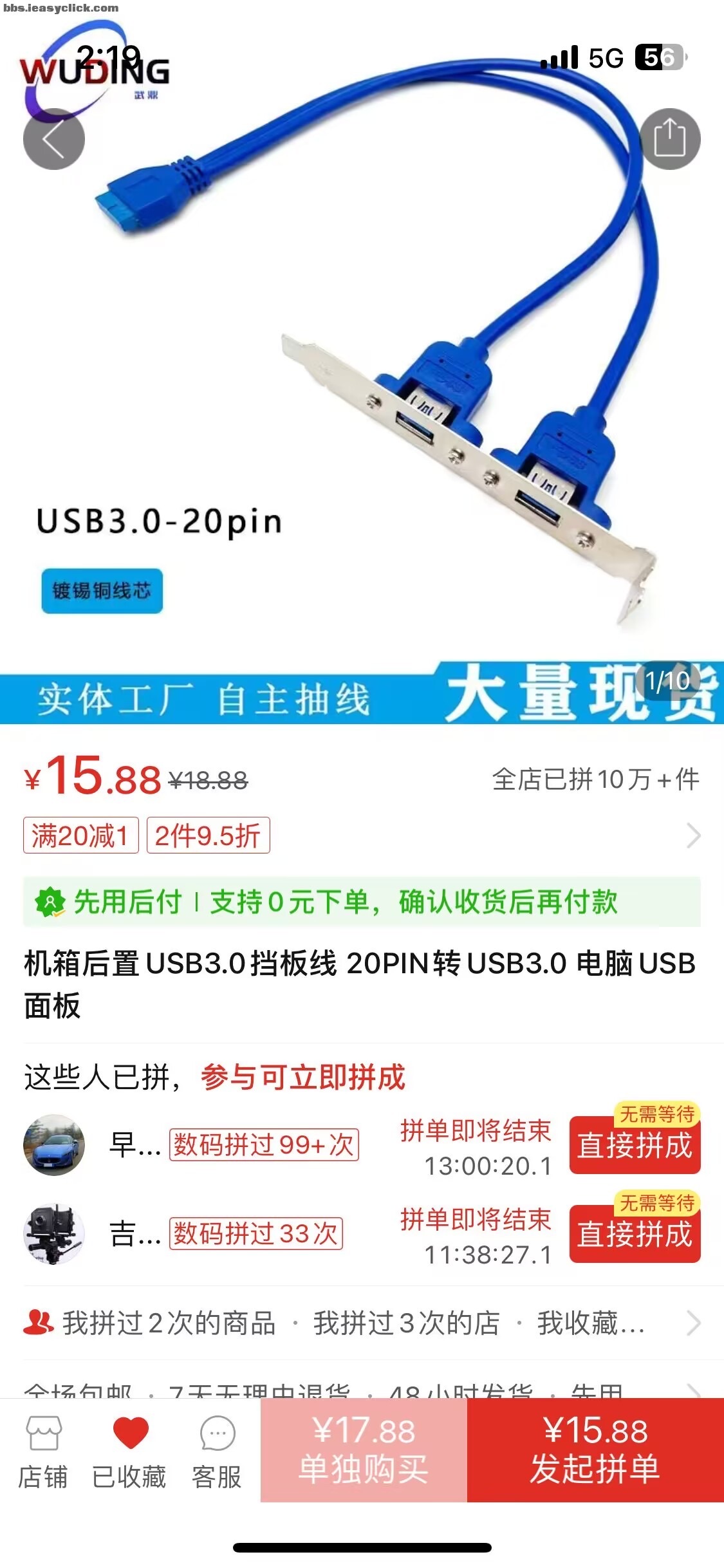
Customer share: Gigabyte B550M AORUS PRO-P, Ryzen 5 5600G, about 16 GB RAM. Screenshot shows ~139 online / ~135 in the list. Bulk Lightning cables; rear I/O expanded with a USB 2.0 header-to-ports bracket (some use a USB 3.0 20-pin bracket).
Other table (from another product, not verified)
The next table is not an EasyClick measurement. Do not treat it as official spec for this software.
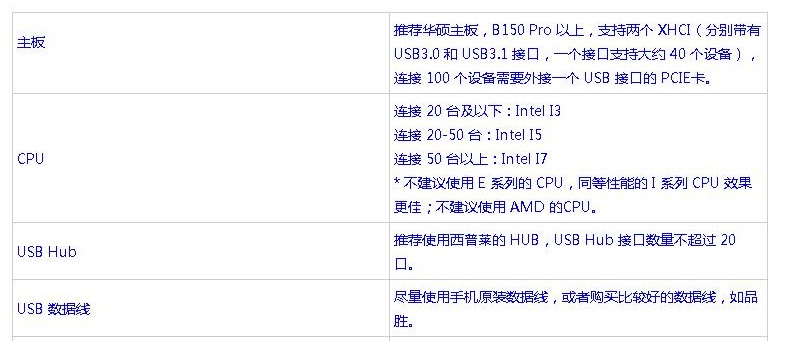
- Boards: some notes say B150 Pro+ with dual xHCI, ~40 devices per controller, add a PCIe USB card past ~100
- CPU: i3 below 20, i5 for 20–50, i7 above 50; some texts dislike E-series vs i-series and AMD (this conflicts with the 5600G case — trust your own test)
- Hubs: powered; do not overload one hub (some say ≤20 ports)
- Cables: OEM or a known brand