Overview
Configure MCP (CLI optional)
If you prefer not to use the CLI, configure an MCP server in Cursor (or similar AI IDEs). The IDEA plugin exposes preview, run, screenshot, OCR, node capture, and more.
Prerequisite: IntelliJ IDEA is running with an EasyClick project open (plugin loaded).
Add this to Cursor MCP config (e.g. user mcp.json):
{ "mcpServers": { "easyclick-ios": { "url": "http://127.0.0.1:18562/mcp" } }}Default URL: http://127.0.0.1:18562/mcp. If the port is busy, the plugin tries subsequent ports starting from 18562.
Project layout
- Open a folder in IDEA, then New Module:
-
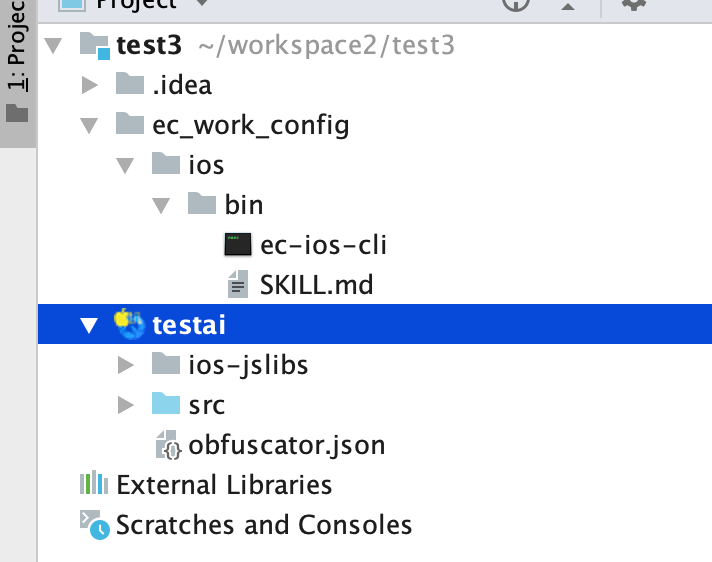
- If ec_work_config/ios/bin is missing, close and reopen the project folder
- ec_work_config/ios/bin holds EC iOS build CLI and SKILL.md
Coding with Cursor
Open project
- In Cursor, open the project folder, not a single module
-
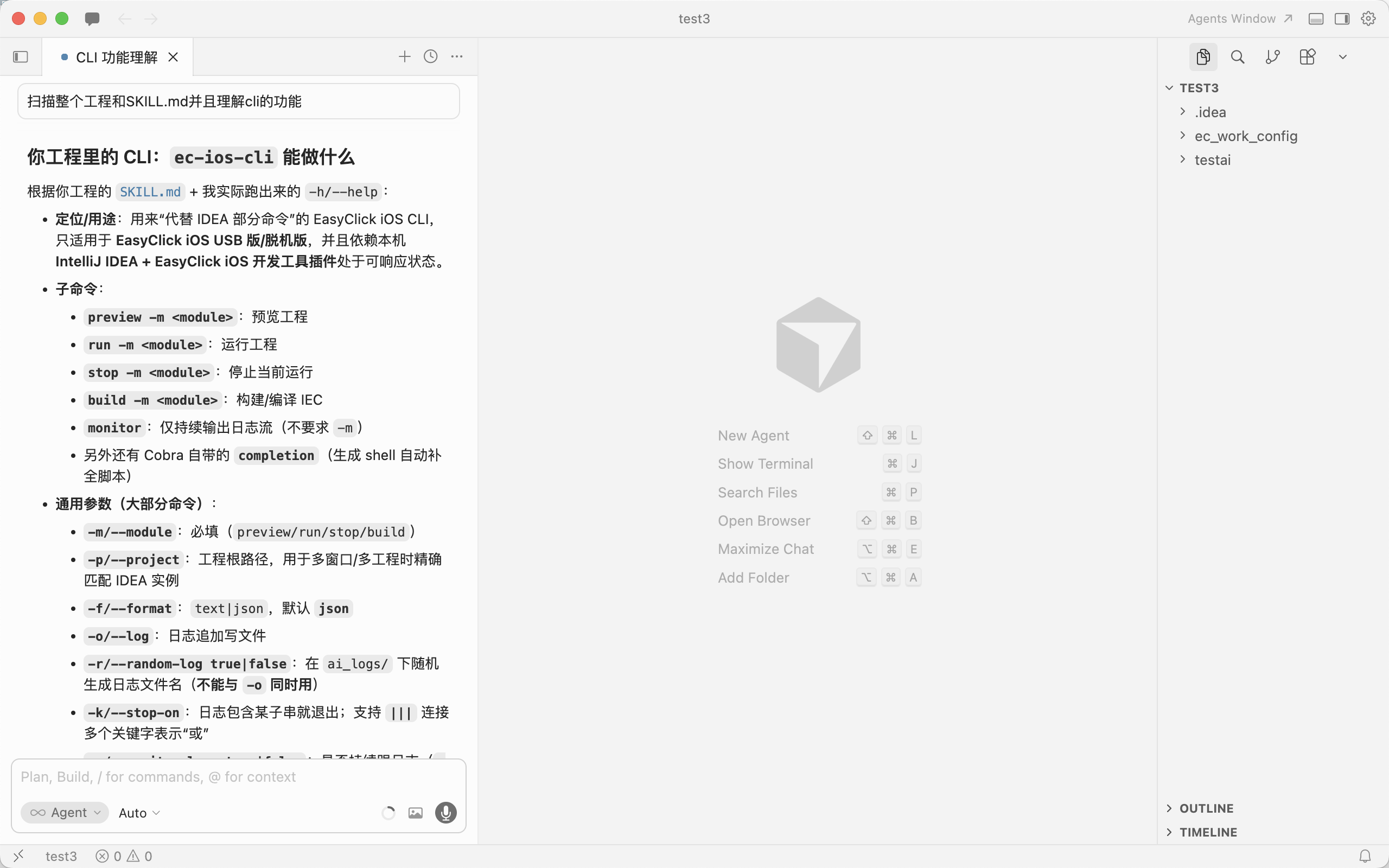
- Ask the AI to understand the project and scan structure + SKILL.md
Build IEC
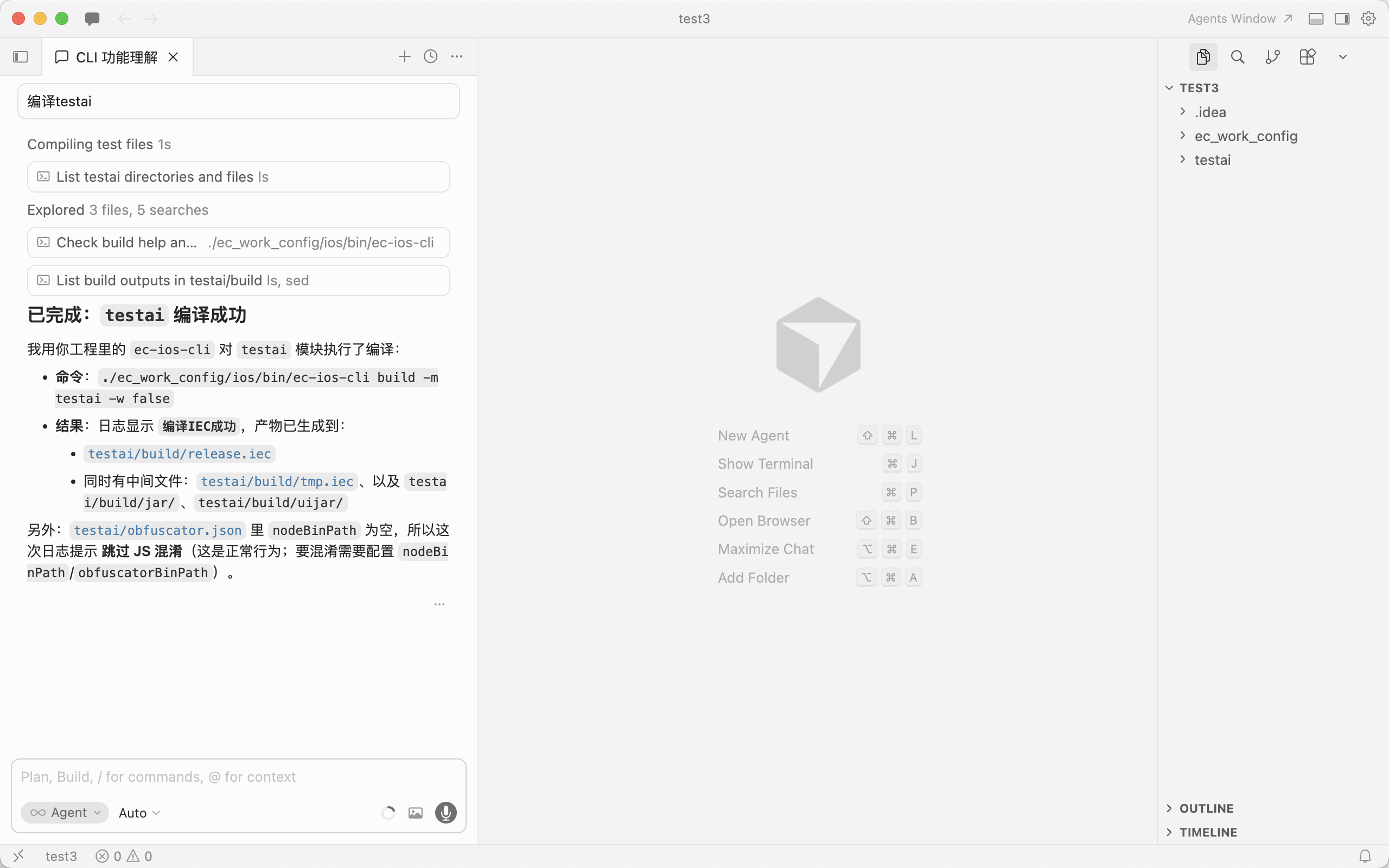
- Ask the AI to build, e.g. module
testai -
Preview project
- Requires a device connected in IDEA
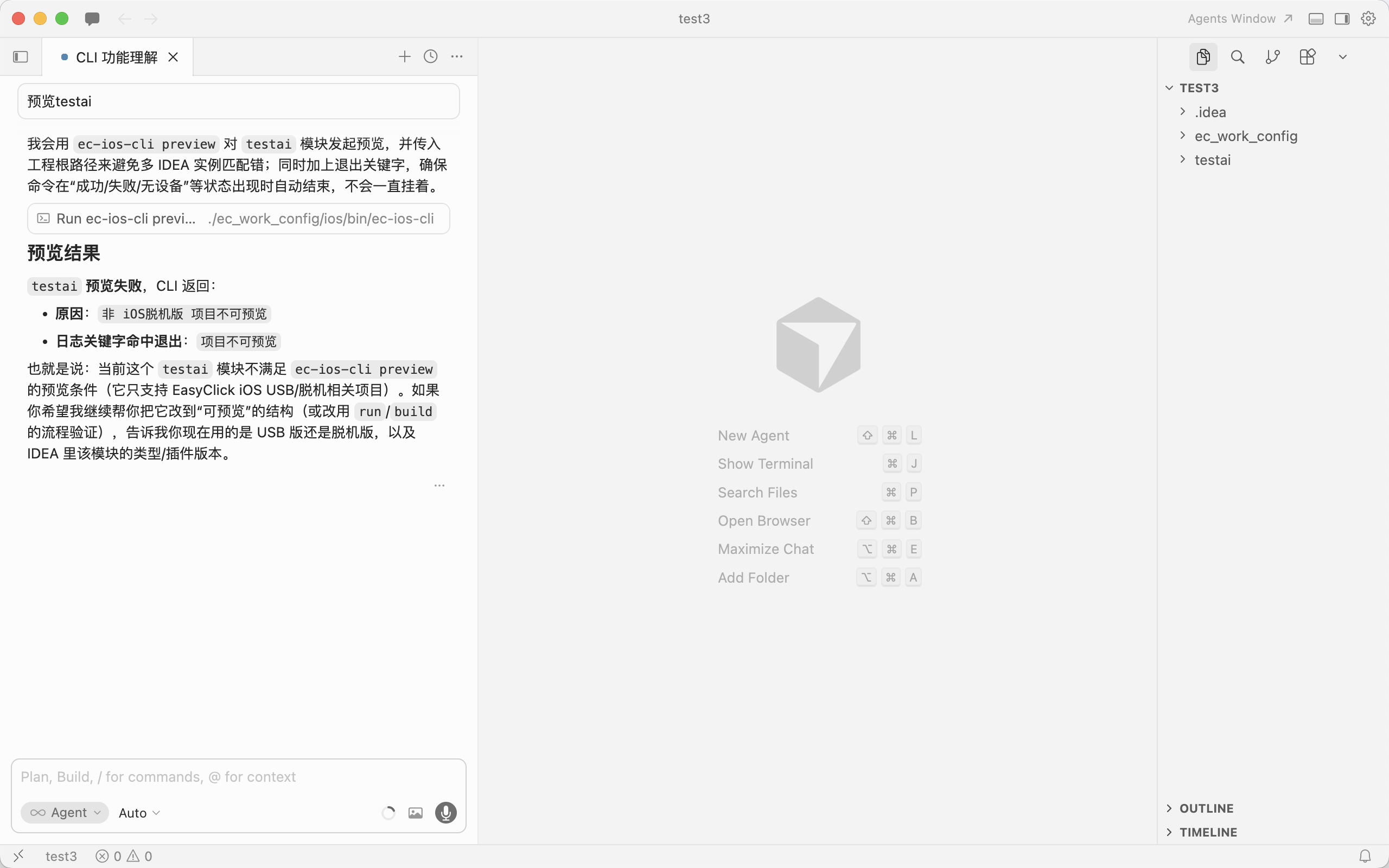
- Ask the AI to preview, e.g.
testai - iOS USB projects can’t preview — only standalone iOS can
-
Run project
- Requires a device in IDEA
- Ask the AI to run, e.g.
testai -
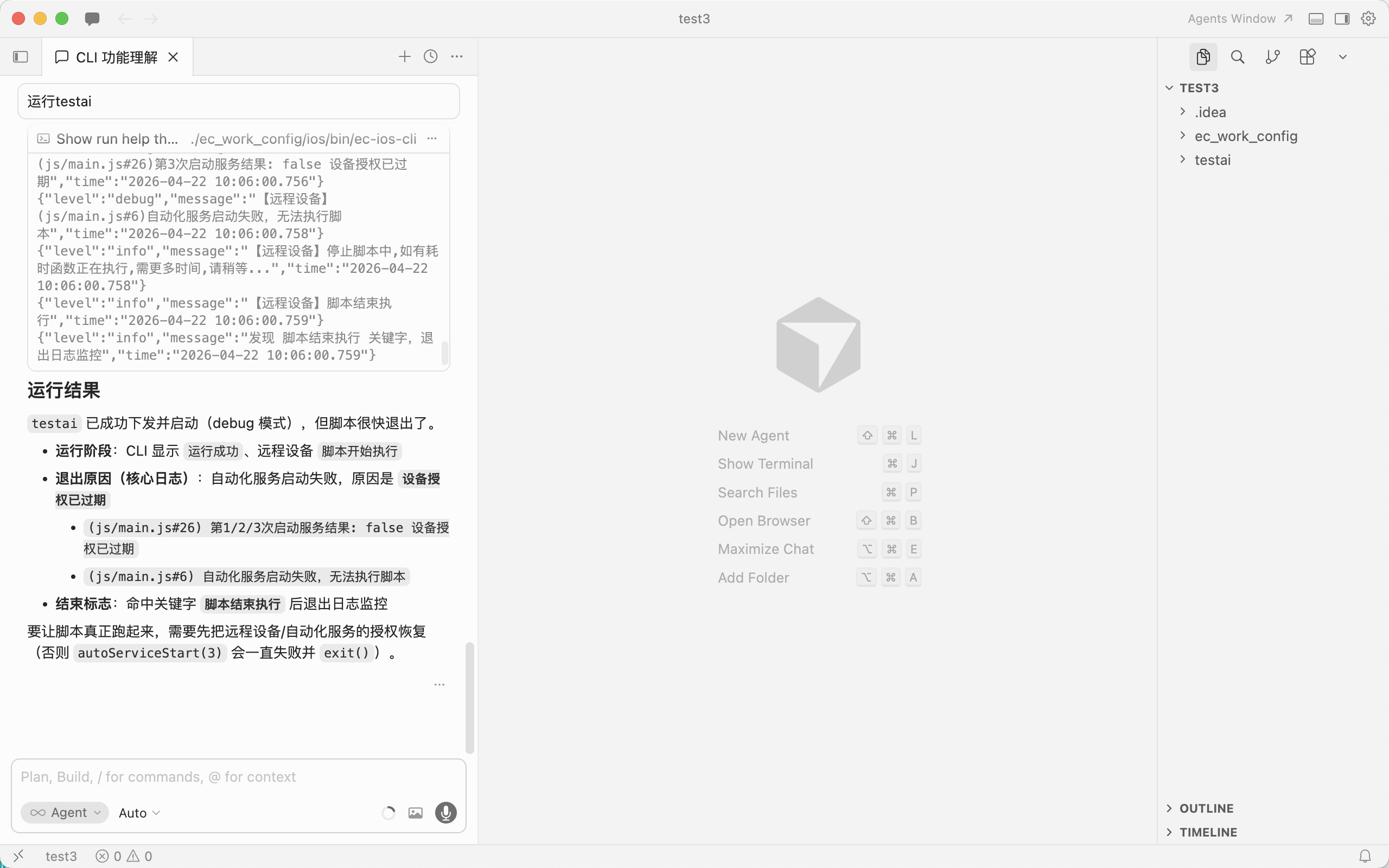
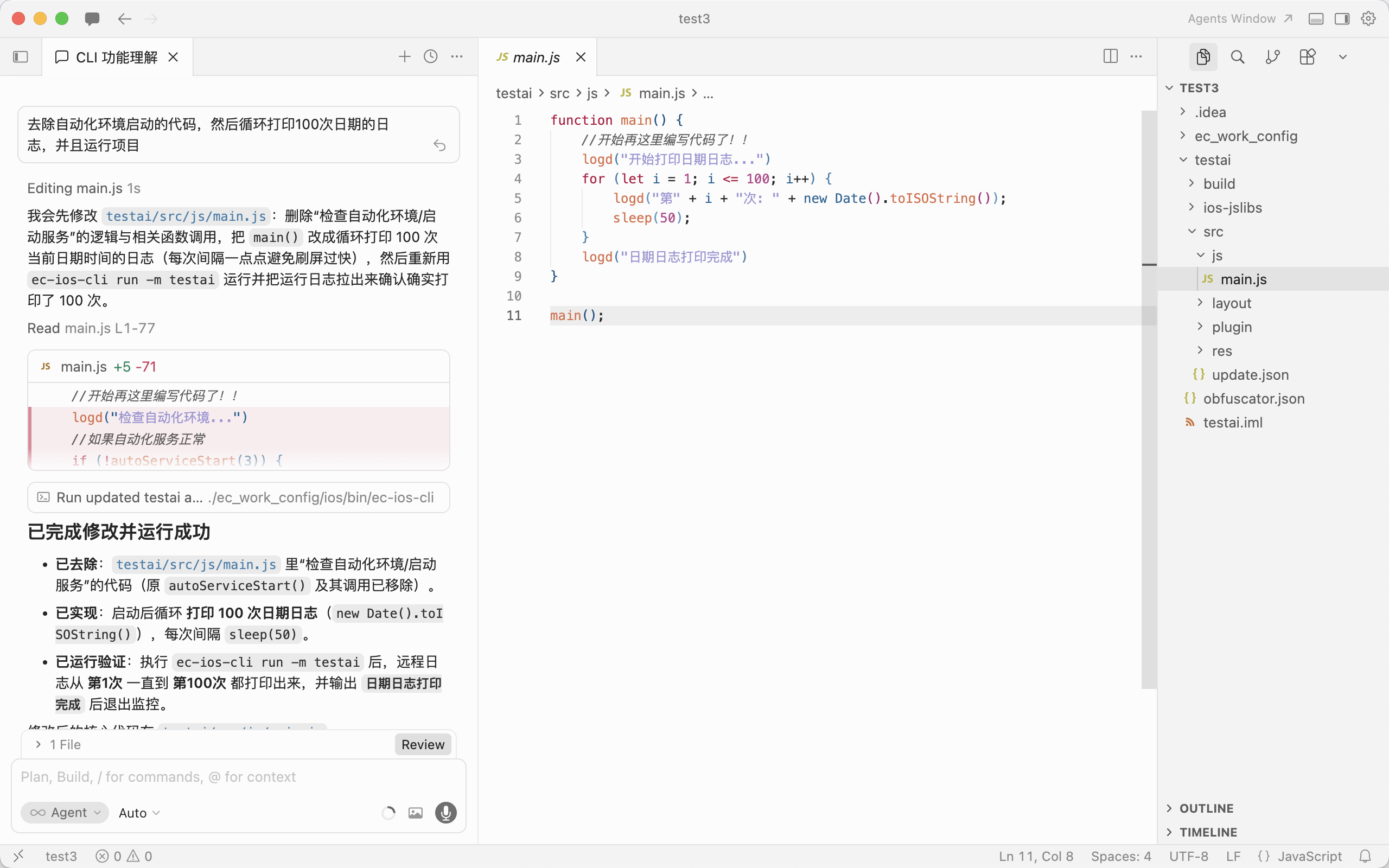
- After the AI writes logic, run and verify
-
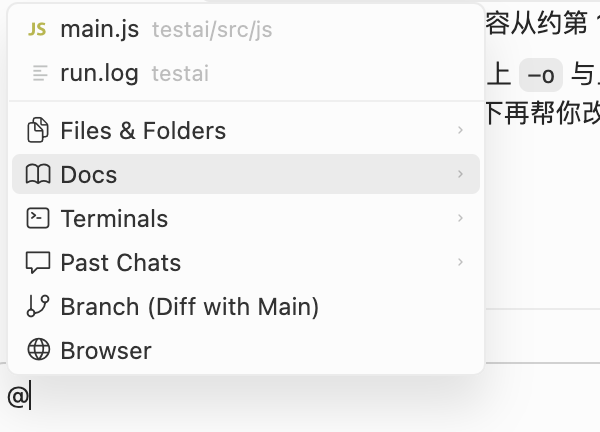
Feed docs to the AI
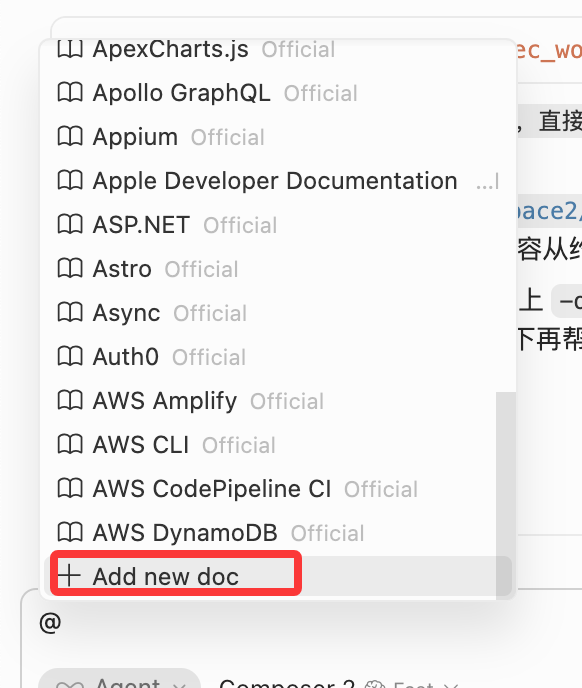
- In chat, type
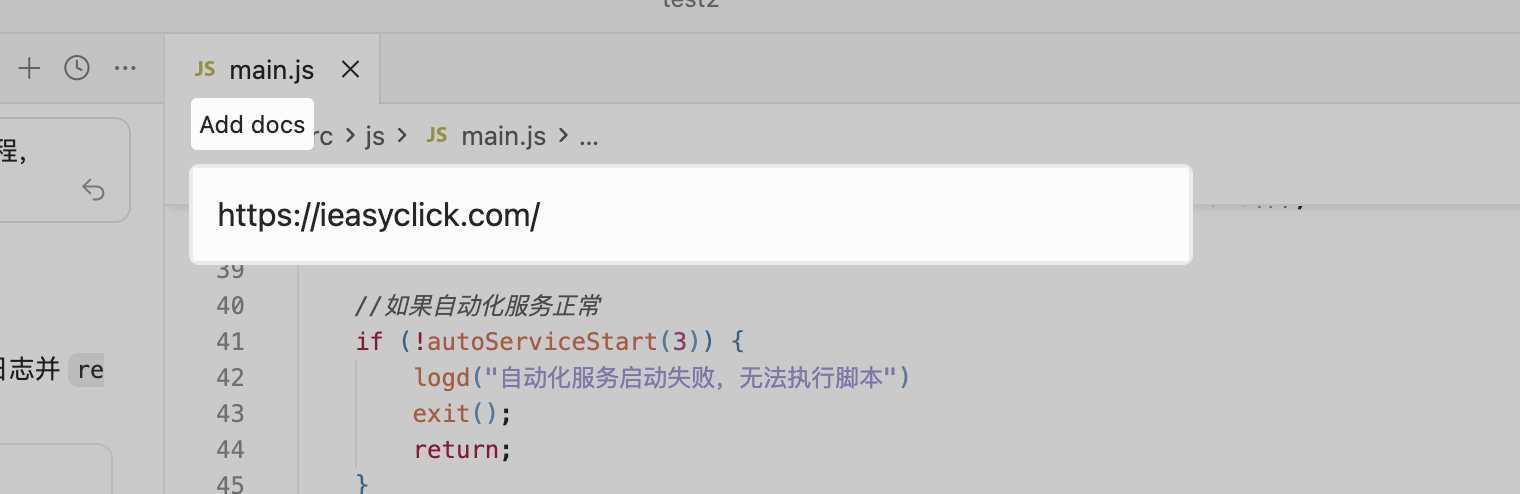
@, choose Docs → Add new doc, add EC doc URLs for the AI to fetch -
-
-
More
- Auto-coding and log analysis — explore yourself; CLI commands describe what happened so the AI can act
CLI commands — SKILL.md
- The SKILL.md below is for the AI to ingest — you can skip reading it
---name: ec-ios-clidescription: >- EasyClick ec-ios-cli install prerequisites, subcommands, flags, and examples. Use when a user or Agent needs to run, script, or troubleshoot this CLI; no implementation internals.---
# ec-ios-cli reference
## Prerequisites- Replaces some IDEA plugin actions; for EasyClick **iOS USB** and **standalone** editions only.- **IntelliJ IDEA** running with **EasyClick iOS dev tools** plugin responsive.- **Module name** in CLI matches the IDEA script module name.- Multiple windows/projects: use **`-p` / `--project`** with the **project root** path as opened in IDEA.
## Binary and help- **Bundled binary** (repo root): **`ec_work_config/ios/bin/ec-ios-cli`** - From repo root: `./ec_work_config/ios/bin/ec-ios-cli -h` - Agents/scripts should prefer this path over global PATH.- If installed globally: **`ec-ios-cli`** (same program; rename locally if needed).- Help: `./ec_work_config/ios/bin/ec-ios-cli -h`- Subcommand help: `./ec_work_config/ios/bin/ec-ios-cli <subcommand> -h`
## Subcommands
| Subcommand | Purpose ||--------|------|| `preview` | Preview project || `run` | Run project || `stop` | Stop running script || `build` | Build IEC || `monitor` | Stream logs only (no `-m`) || `capture-image` | Screenshot path (AI assist) || `ocr-screen` | OCR current screen (AI assist) || `capture-node` | Capture UIX nodes path (AI assist) || `test-image` | Template match test (AI assist) || `ocr-local-image` | OCR local image (AI assist) |
**Notes:**- `preview / run / stop / build / capture-image / ocr-screen / capture-node / test-image / ocr-local-image` need **`-m` (module)**.- `monitor` has no module.- `capture-image` aliases: `captureImage` / `fetch-image` / `fetchImage` (prefer `capture-image`).
## Common flags (except `monitor`)
| Flag | Meaning ||------|------|| **`-m` / `--module`** | **Required.** IDEA module name. || **`-p` / `--project`** | Optional. Project root (IDEA path). || **`-f` / `--format`** | Optional. Log format: `text` or `json`; default **`json`**. || **`-o` / `--log`** | Optional. Append logs to file. || **`-k` / `--stop-on`** | Optional. Exit when log contains substring; **`|||`** = OR. || **`-w` / `--monitor-logs`** | Optional. `true`/`false`. Default monitors; `-w false` ends after HTTP. || **`-r` / `--random-log`** | Optional. Random log file under `ai_logs/`; **not with `-o`**. |
**Constraints:**- Optional flags need valid values.- **`-r` and `-o` are mutually exclusive.**
## Boolean flags — use `=`
Bool flags like `--need-auto` / `--release` / `--monitor-logs`:- `--flag` = **true**- For **false**, use **`--flag=false`** (or `-a=false`)
Examples:- `--need-auto` = `--need-auto=true`- `--need-auto=false` explicitly disables
## `monitor` only
| Flag | Meaning ||------|------|| **`-f` / `--format`** | `text` or `json`, default `json`. || **`-o` / `--log`** | Append to file. || **`-k` / `--stop-on`** | Exit on match (`|||` OR). || **`-r` / `--random-log`** | Random log file (not with `-o`). |
## AI assist commands
Support `-m/-p/-f/-o/-r/-k/-w`; default `stop-on` includes `失败请登录` (login failure).
### `capture-image`- **`--dir / -d`**: save dir (default project image dir)- **`--image-format / -g`**: `jpg|png` (default `jpg`)- **`--need-auto / -a`**: need automation service (default `true`)
EC=./ec_work_config/ios/bin/ec-ios-cli$EC capture-image -m app$EC capture-image -m app -d /tmp -g png$EC capture-image -m app --need-auto=false
### `ocr-screen`- **`--ocr-type / -t`**: default `paddleOcrNcnnV5`- **`--padding / -x`**: default `32`- **`--max-side-len / -l`**: default `640`- **`--release / -e`**: default `false`- **`--need-auto / -a`**: default `true`
EC=./ec_work_config/ios/bin/ec-ios-cli$EC ocr-screen -m app$EC ocr-screen -m app -t paddleOcrOnnxV5 -x 32 -l 640
### `capture-node`- **`--dir / -d`**: save dir (default node dir)
EC=./ec_work_config/ios/bin/ec-ios-cli$EC capture-node -m app$EC capture-node -m app -d /tmp
### `test-image`- **`--test-type / -t`**: `2` (live, default) or `1` (local image)- **`--small-image-path / -s`**: required template path- **`--big-image-path / -b`**: required for `-t 1`
EC=./ec_work_config/ios/bin/ec-ios-cli# Live (default)$EC test-image -m app -s /path/to/small.png# Local image$EC test-image -m app -t 1 -s /path/to/small.png -b /path/to/big.png
### `ocr-local-image`- **`--path / -i`**: required image path- Other flags same as `ocr-screen`
EC=./ec_work_config/ios/bin/ec-ios-cli$EC ocr-local-image -m app -i /path/to/image.png$EC ocr-local-image -m app -i /path/to/image.png -t paddleOcrOnnxV5 -x 32 -l 640
## Logging- Most logs on **stderr**; **`-o`** / **`-r`** also write files.- Default format **JSON** unless **`-f text`**.
## Classic examples (preview / run / stop / build / monitor)
# From repo root; EC = ./ec_work_config/ios/bin/ec-ios-cliEC=./ec_work_config/ios/bin/ec-ios-cli
# preview$EC preview -m app$EC preview -m app -f json
# run$EC run -m app$EC run -m app -f json -o /tmp/easyclick.log$EC run -m app -r true$EC run -m app -w false
# stop$EC stop -m app
# build (IEC)$EC build -m app
# monitor (logs only)$EC monitor$EC monitor -f text -o /tmp/monitor.log -k "完成"
Multi-project / multi-IDEA (use `-p`):
./ec_work_config/ios/bin/ec-ios-cli run -m app -p /path/to/project/root
## Combined examples
EC=./ec_work_config/ios/bin/ec-ios-cli
# Legacy$EC preview -m app$EC run -m app -o /tmp/run.log -k "上传"$EC stop -m app$EC build -m app$EC monitor -k "完成"
# AI assist$EC capture-image -m app -d /tmp -g png$EC ocr-screen -m app$EC capture-node -m app$EC test-image -m app -s /path/to/small.png$EC ocr-local-image -m app -i /path/to/image.png