UI preview & onboarding path
Main screens
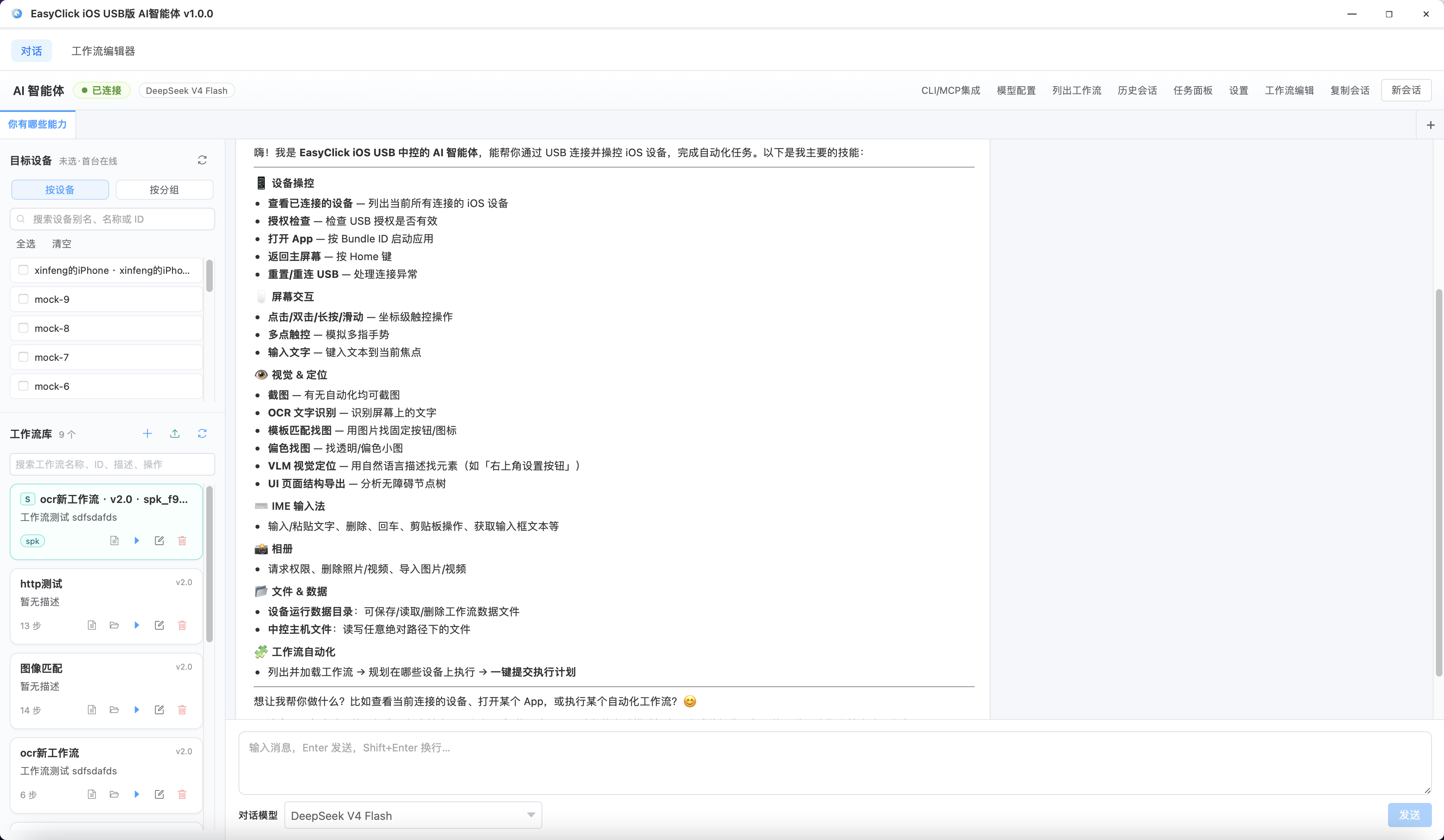
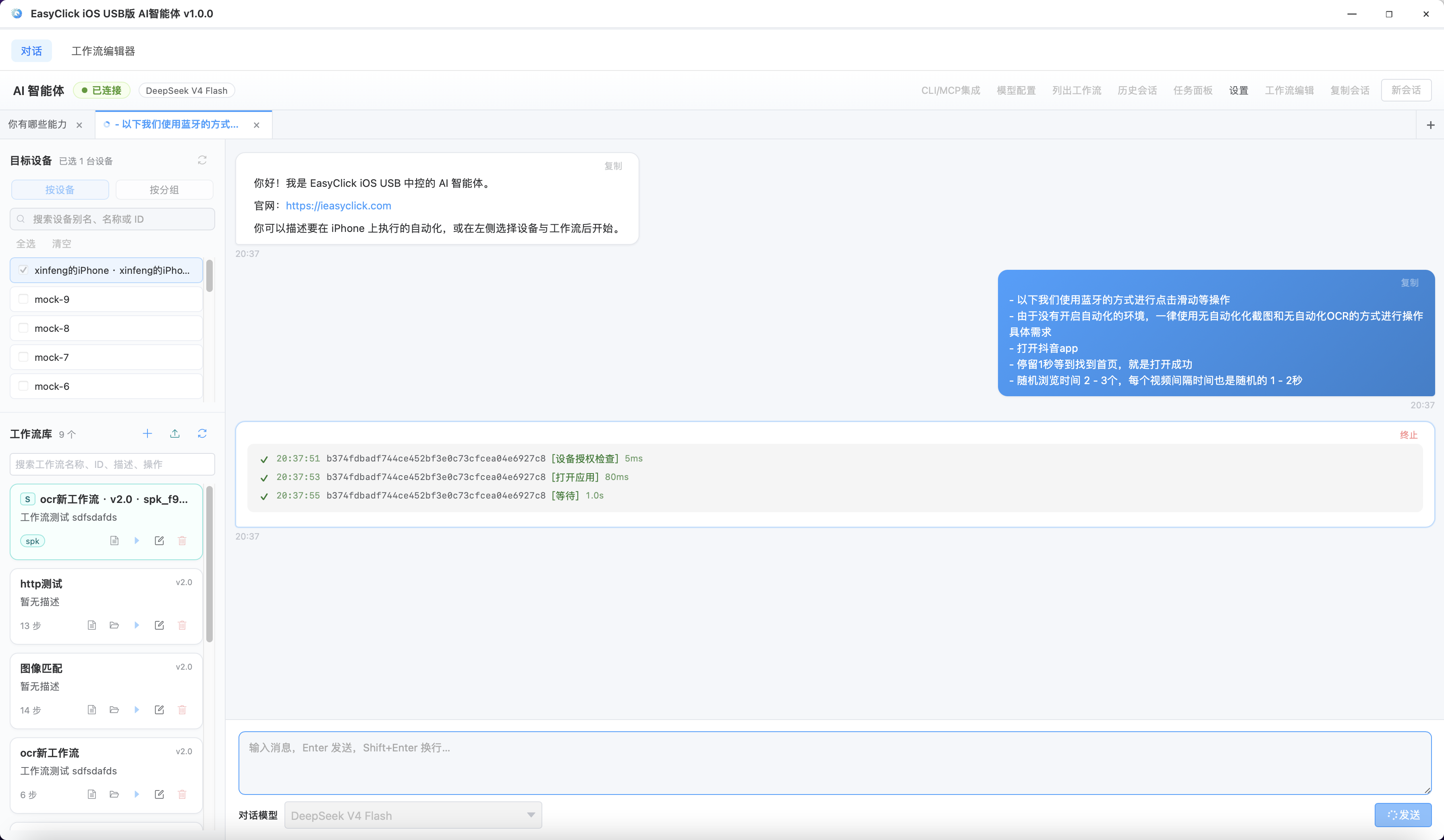
AI chat
Describe tasks in Chinese; pick devices and workflows on the left, then run.
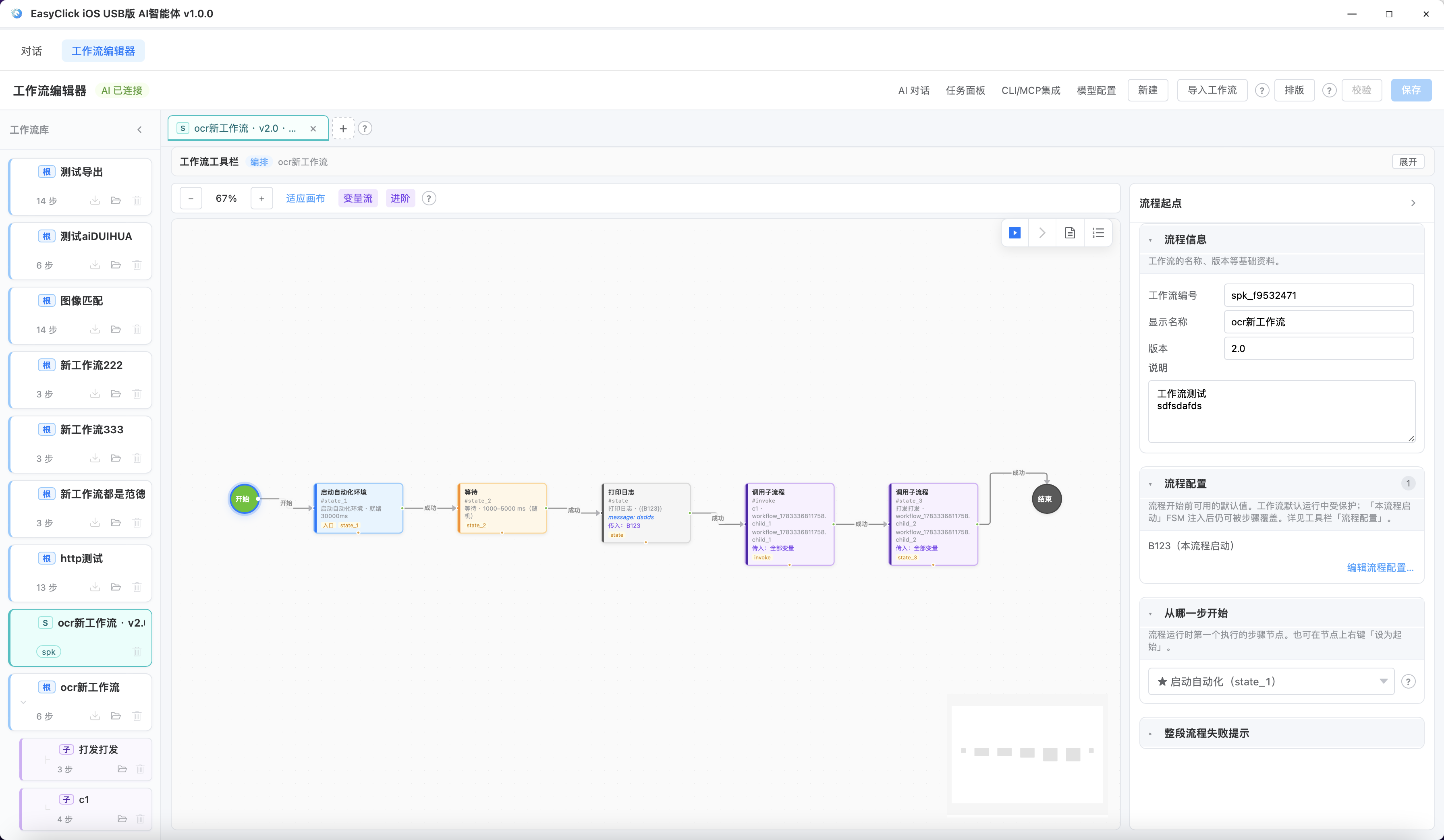
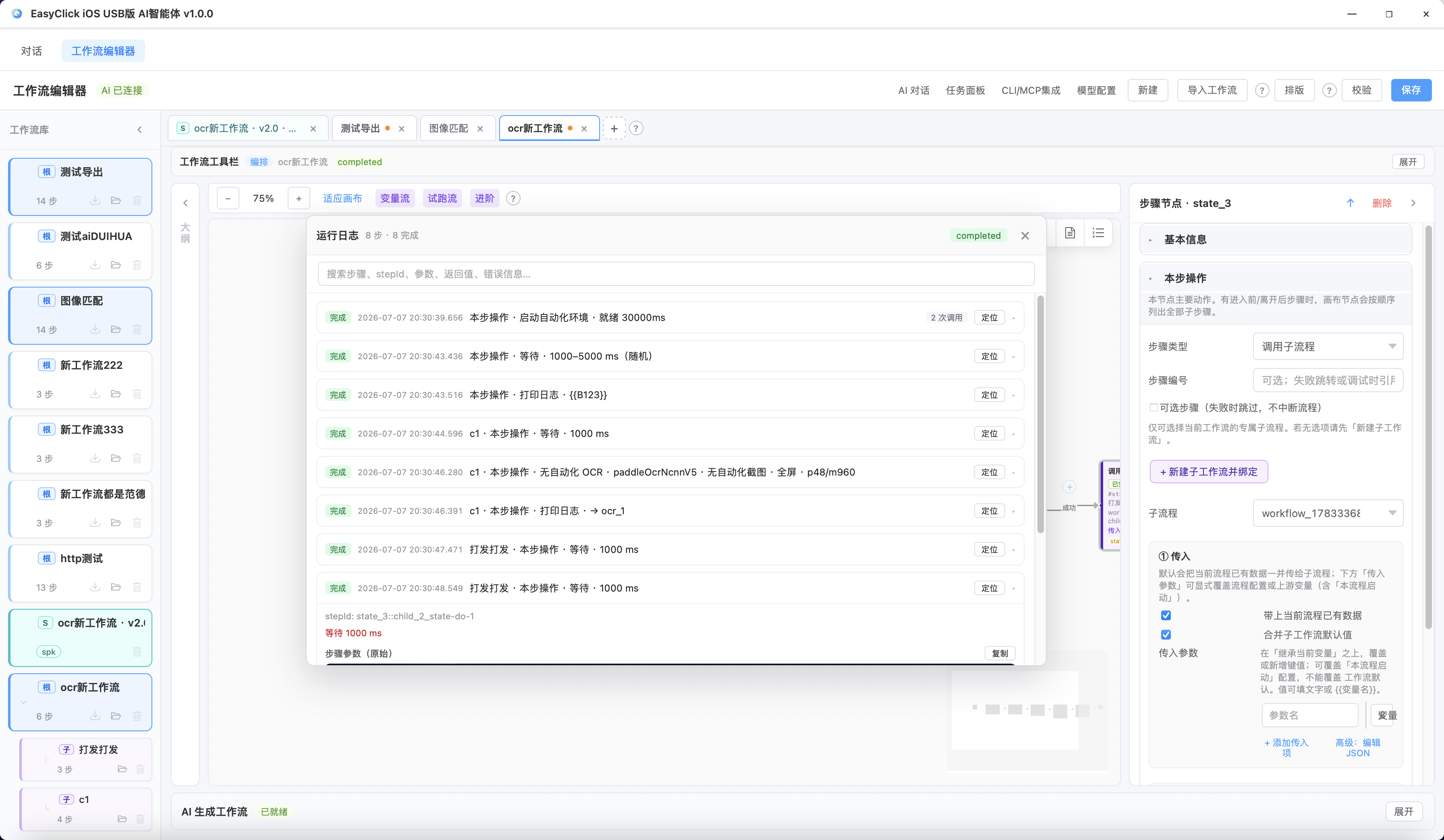
Workflow editor
Visual flowchart, trial run, variable pool, and AI-assisted authoring.
Tasks & monitoring
View per-device progress during batch runs; pause and resume supported.
30-second onboarding path
flowchart LR A[Start new control center] --> B[USB connect iPhone] B --> C[License Center: bind USB device license] C --> D[Set up automation IPA or BLE env] D --> E[Click AI Agent] E --> F{What to do?} F -->|Ad hoc| G[AI chat] F -->|Fixed flow| H[Workflow library / editor] G --> I[Pick devices → describe in Chinese → run] H --> J[Trial run → save → batch from task panel]Detailed steps:
- Prerequisites & licensing — USB license + runtime environment
- Getting started — open window, configure model, pick devices
- AI chat or Workflow editor