iDeviceFarm — Let AI operate your phone
A free mobile-automation AI workstation: install on your PC, manage many real devices, and drive taps with chat, workflows, or MCP.
Android, iOS, and HarmonyOS. Connect Cursor, WorkBuddy, Claude, and more. Built for short-video ops, phone matrix ops, and cross-border TikTok matrix ops.
Completely free · Runs locally · Data stays on your PC · Less scripting
Android, iOS, and HarmonyOS. Connect Cursor, WorkBuddy, Claude, and more. Built for short-video ops, phone matrix ops, and cross-border TikTok matrix ops.
Completely free · Runs locally · Data stays on your PC · Less scripting
AI chat that drives phones
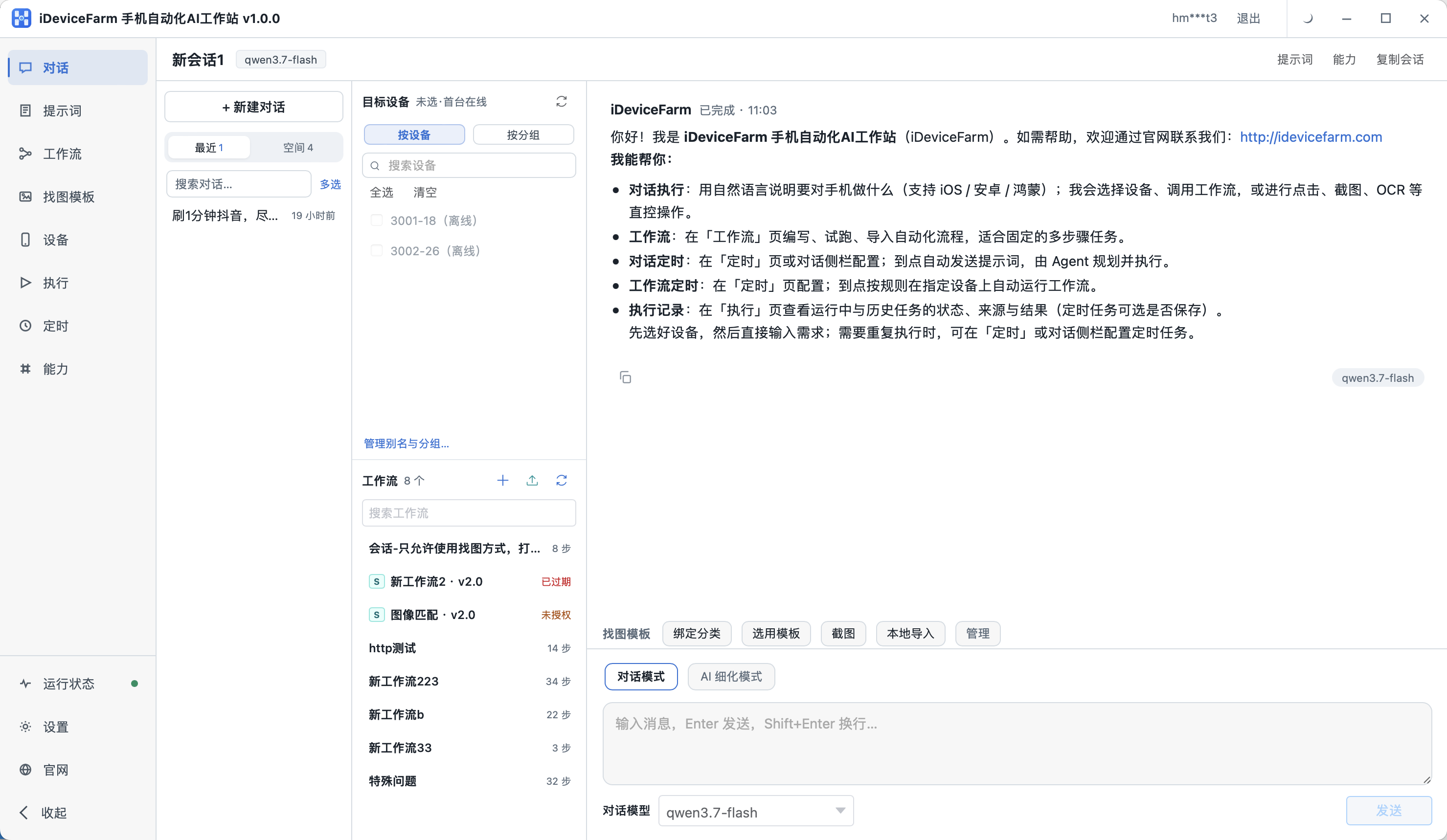
- Describe the task; the system handles taps, swipes, typing, and app launches
- Switch chat mode and AI refinement; pick target devices and workflows
- Group sessions and monitor many devices in one console
Prompt refinement
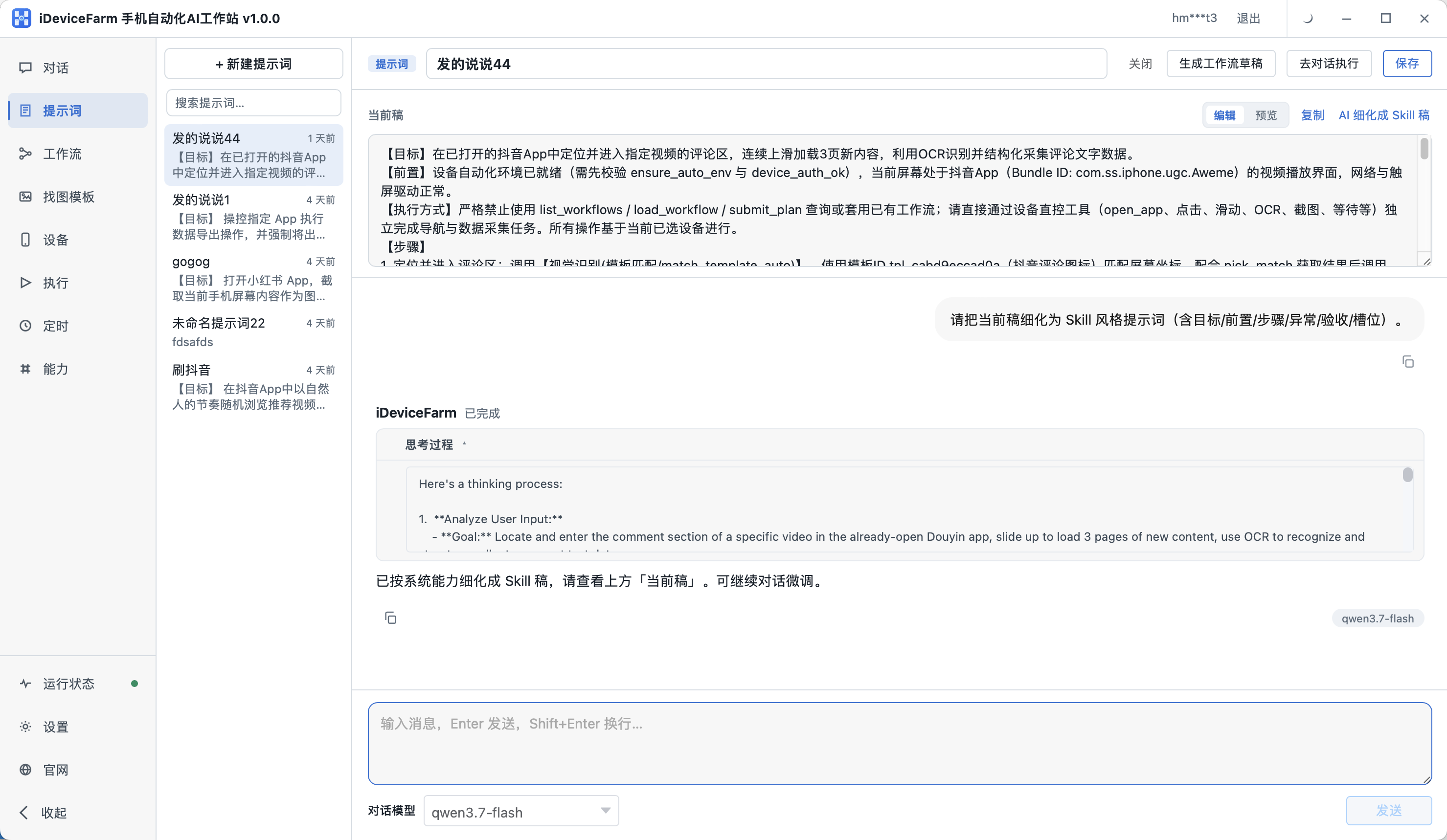
- Iterate with AI until a vague goal becomes an executable prompt draft
- Structure goals, prerequisites, and steps for reuse
- Generate a workflow draft or jump straight to chat execution
Visual workflows
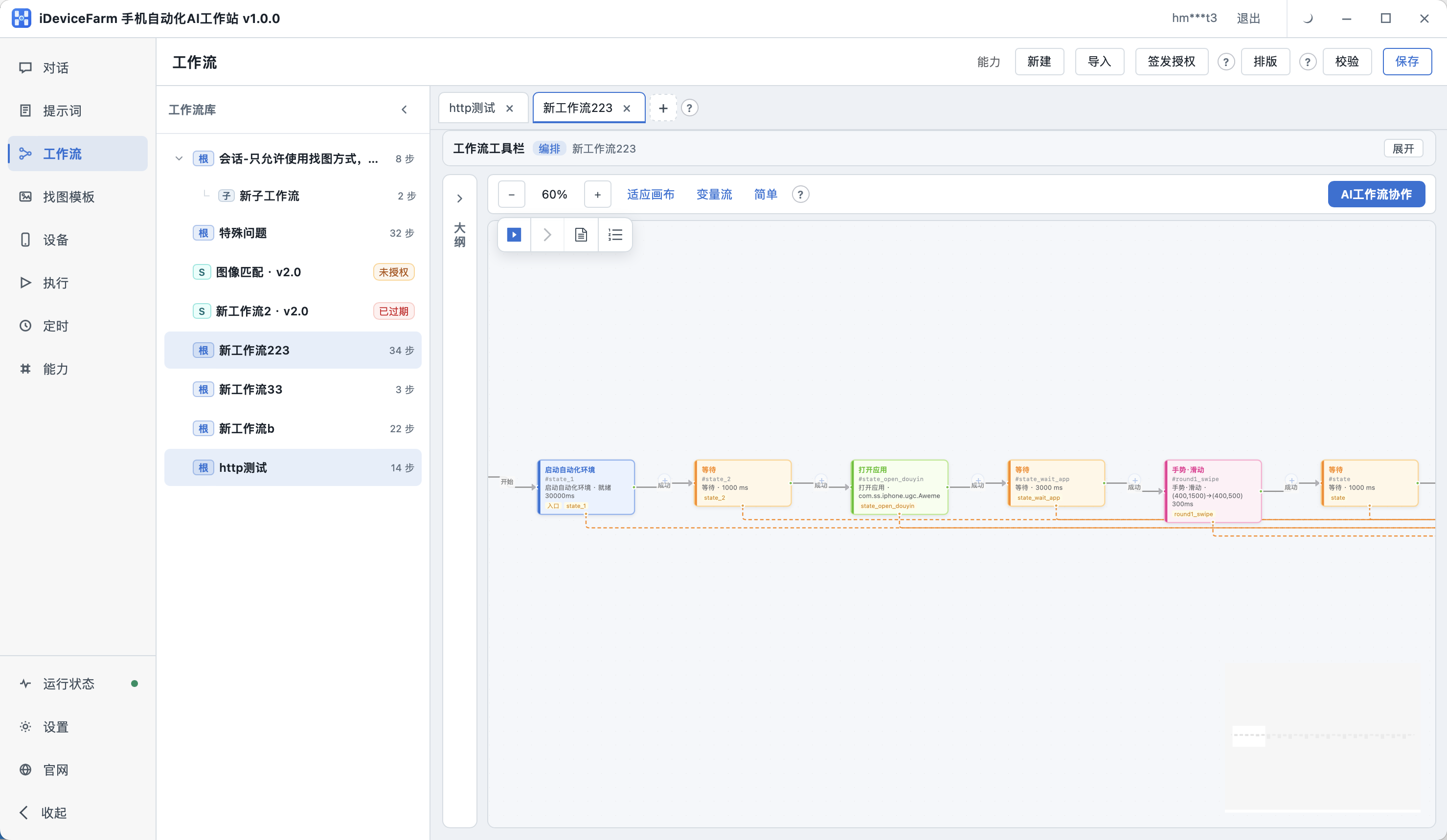
- Create, delete, and import workflows on a node canvas
- AI workflow collaboration to generate and revise flows
- Pick a device, dry-run, then reuse at scale
Image template library
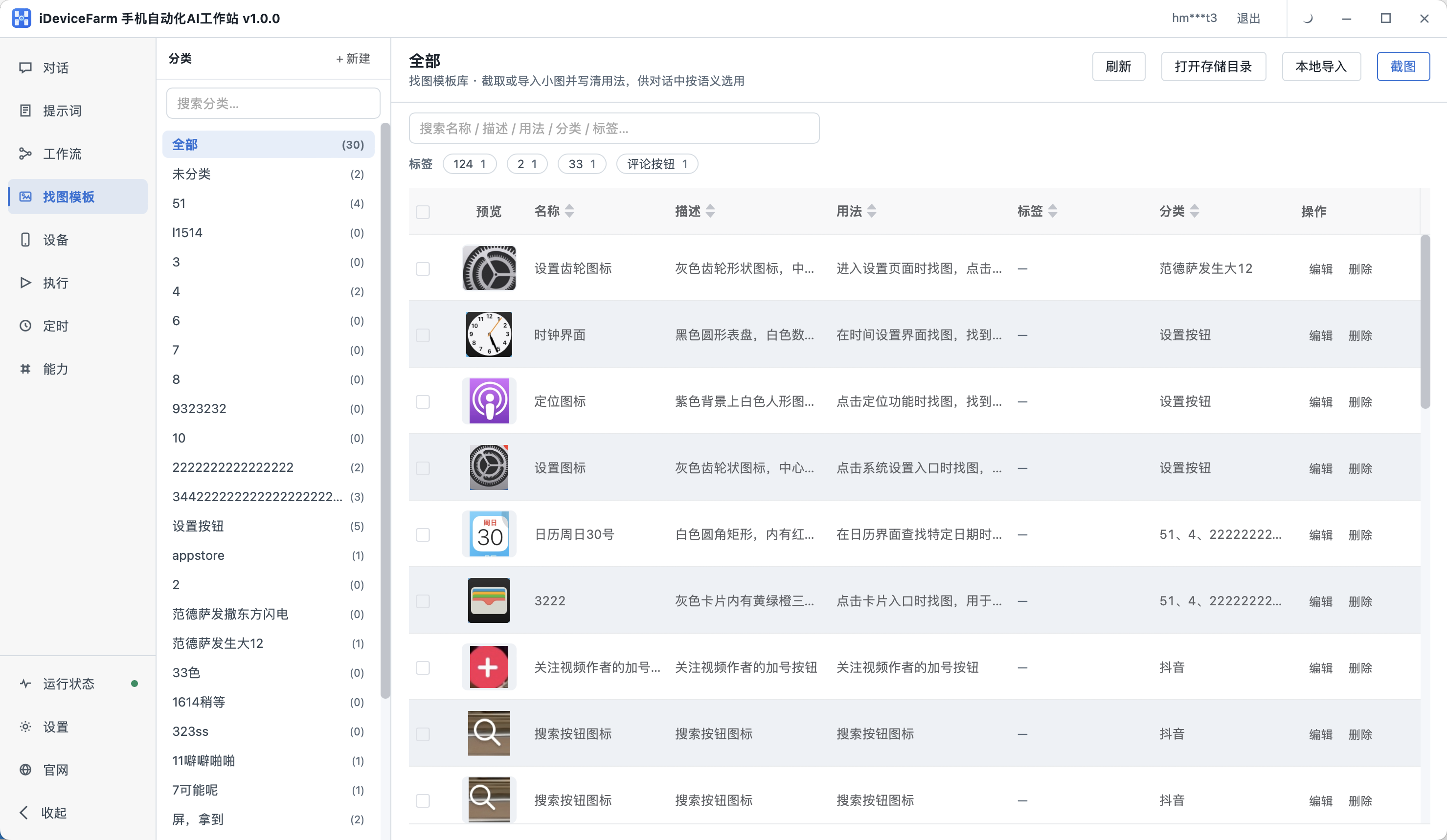
- Maintain small-image templates for on-screen graphic matching
- Cover icons and buttons that OCR / VLM struggle to recognize
- Crop from device screenshots; organize by category and usage notes
Device library
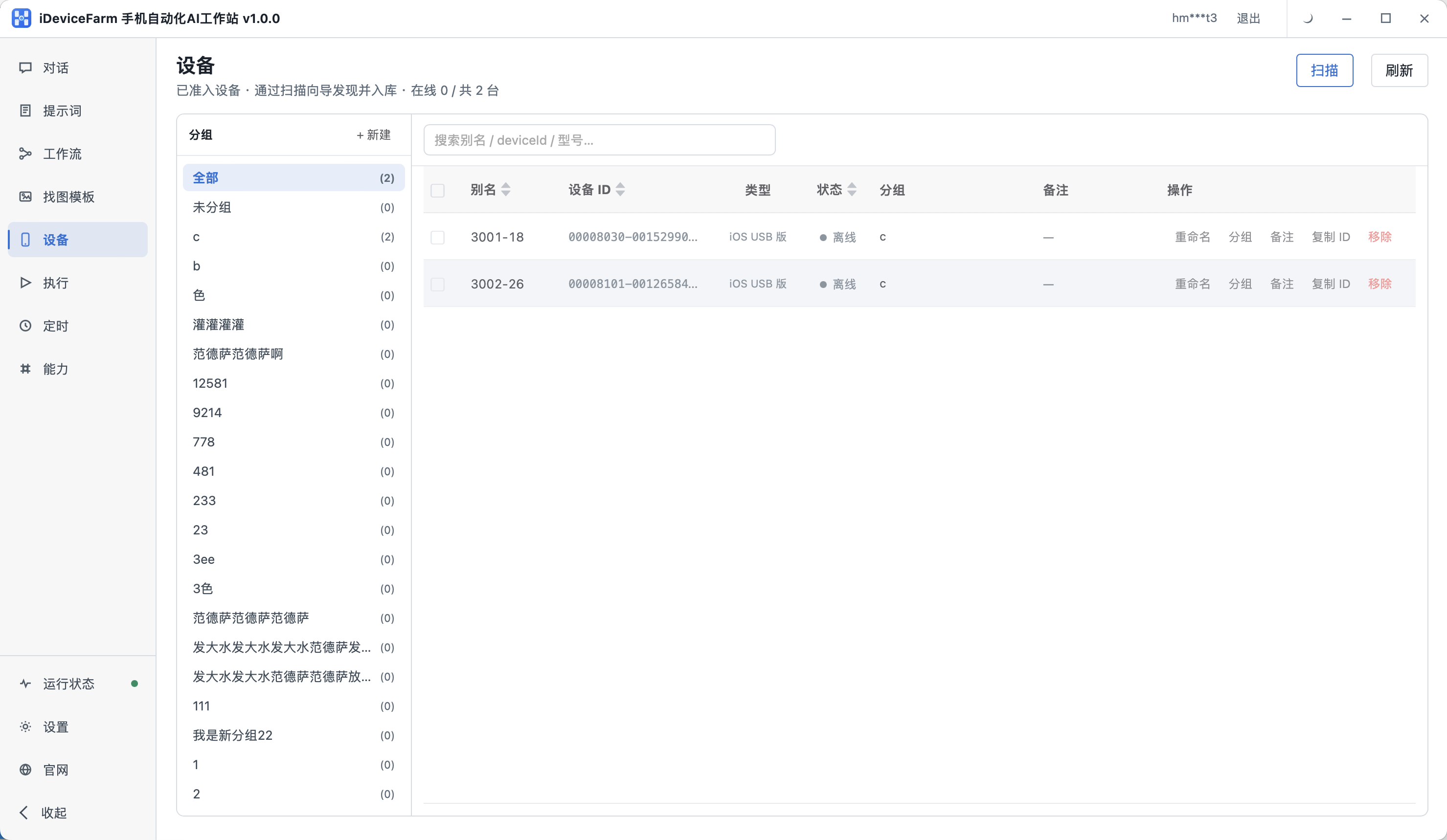
- Scan and import real devices; track online status in one place
- Groups, aliases, and notes for multi-device matrix ops
- Android, iOS, HarmonyOS, and more device types
Scheduled tasks

- Schedule chat sessions to run natural-language jobs on time
- Schedule workflows for daily ops and matrix publishing
- Local scheduling — no cloud server required
Run history
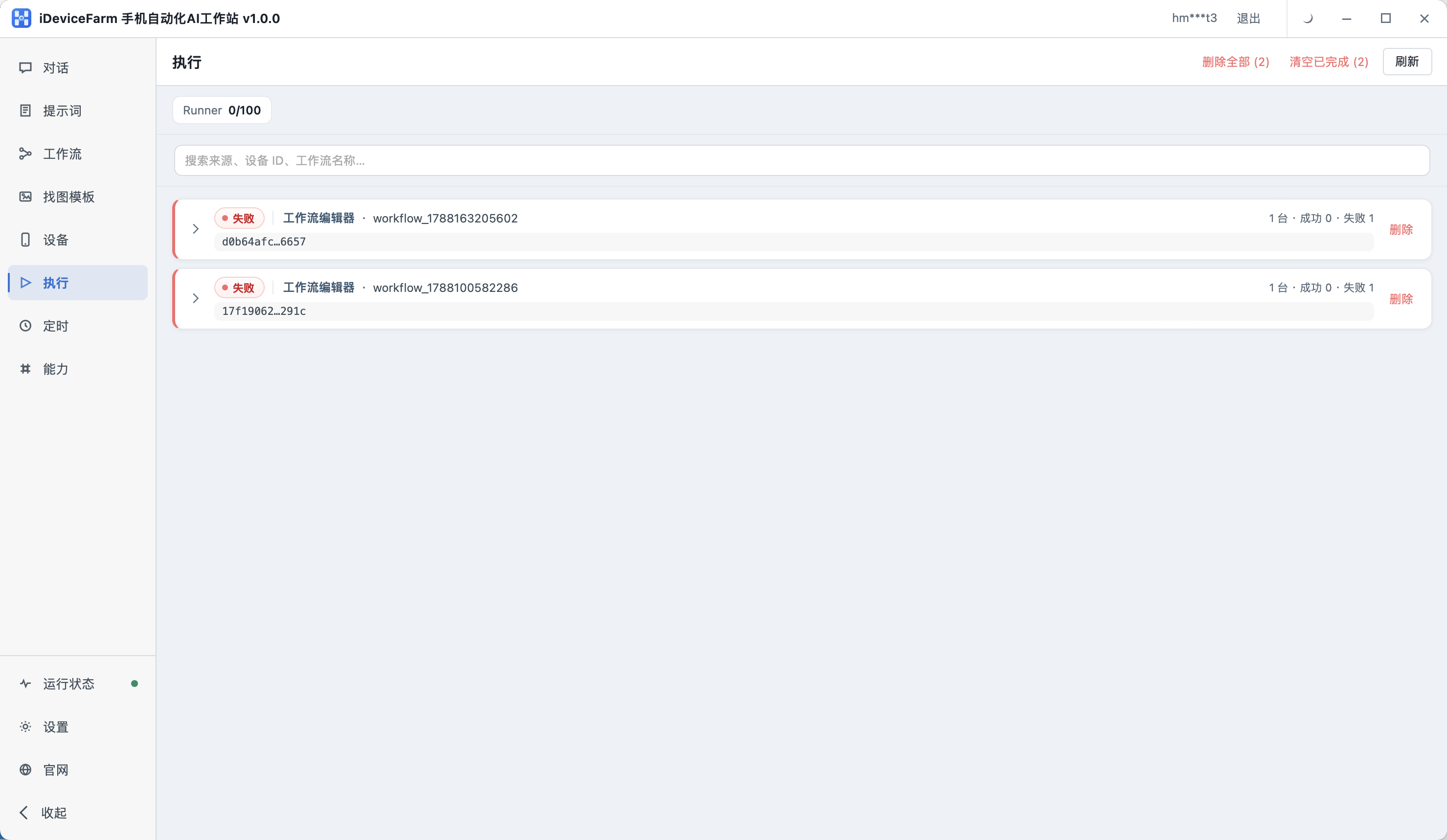
- Review results from chats, schedules, and related runs
- Trace successes and errors for easier debugging
- Execution records stay on your machine
Custom LLMs and VLMs
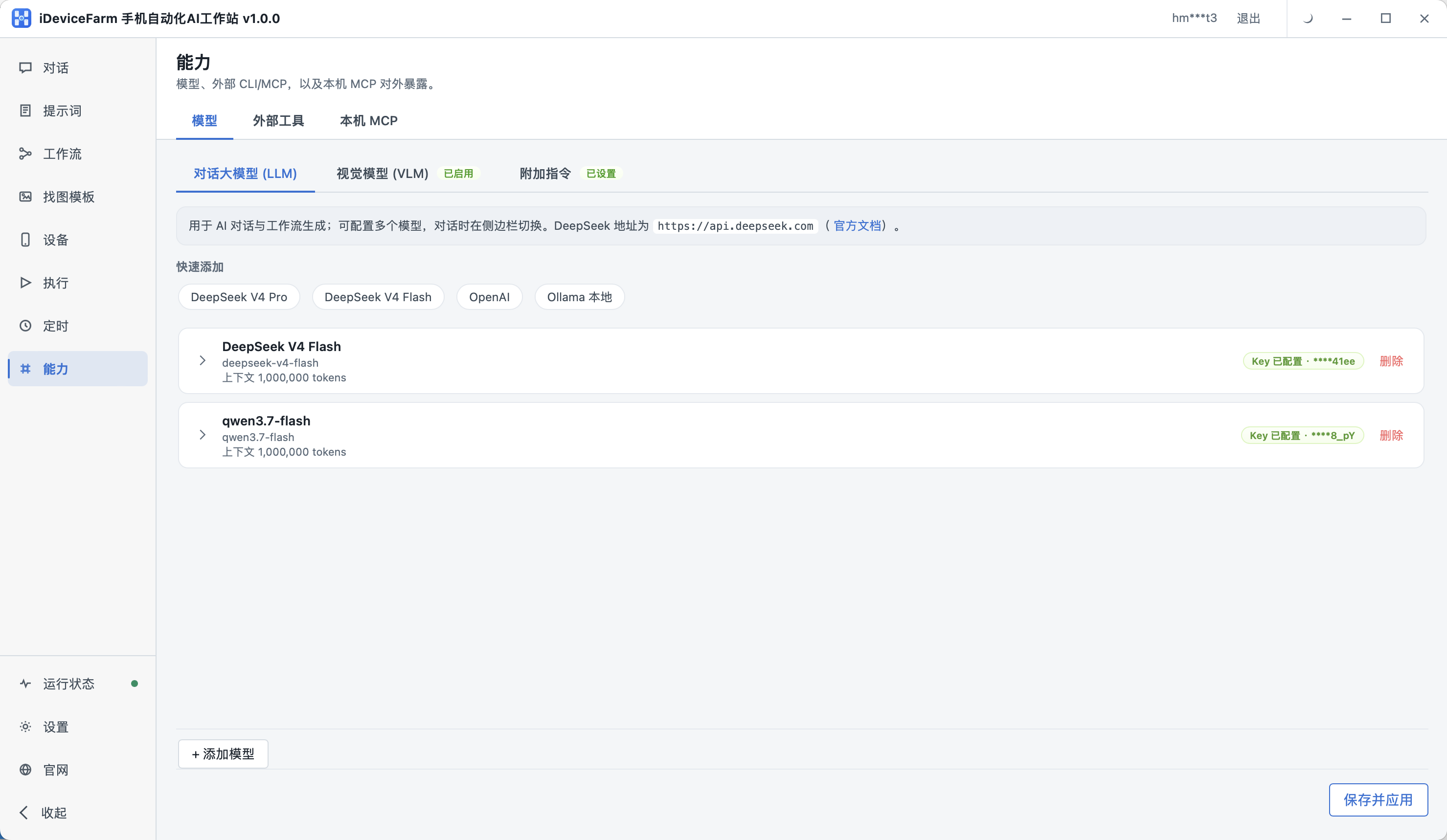
- Plug in your own large language models as needed
- Configure VLM vision models for better screen understanding
- Manage models and tools together on the Capabilities page
Expose local MCP
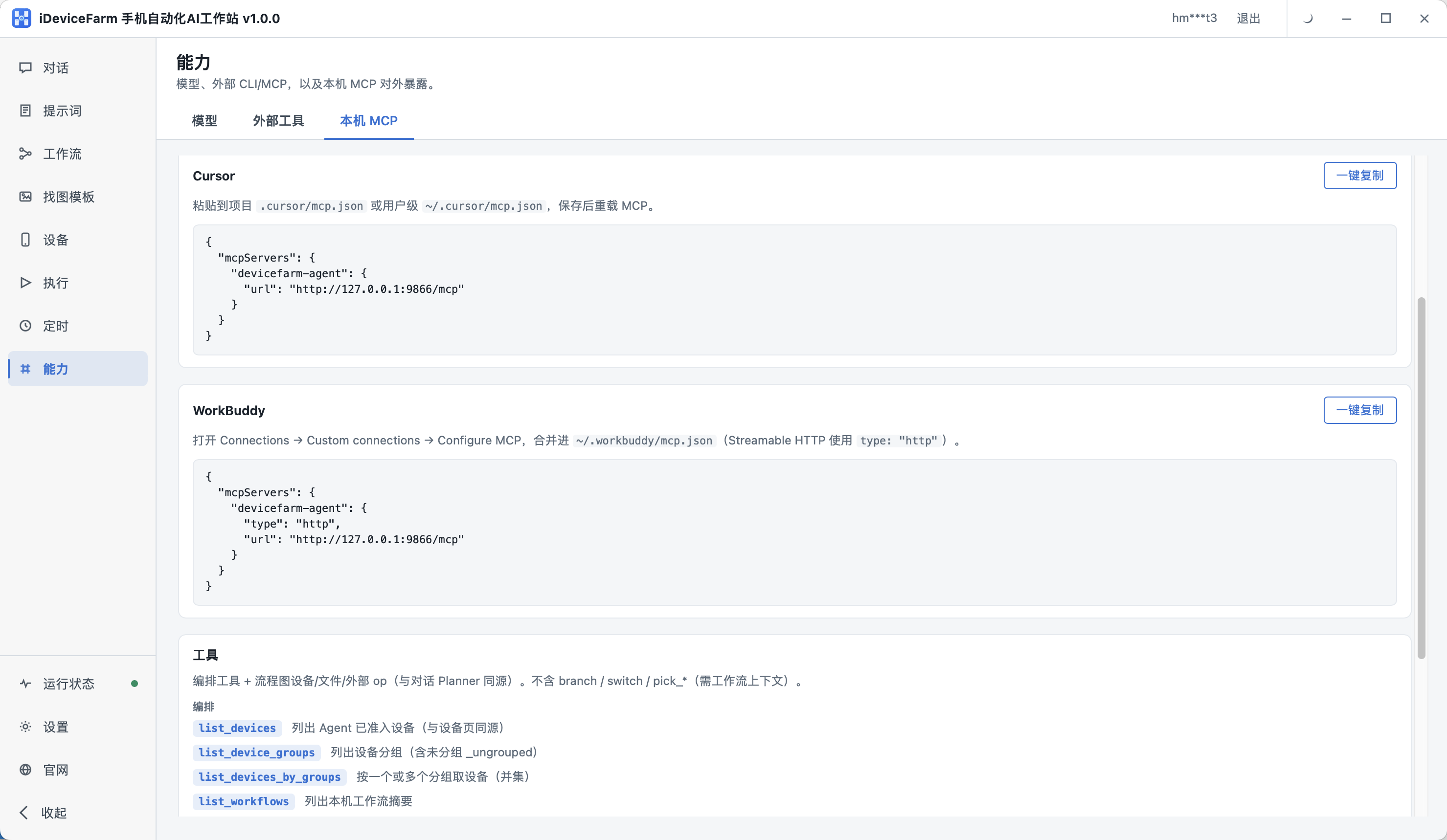
- One-click copy config for Cursor, WorkBuddy, and similar assistants
- List devices, run workflows, and drive phones from external AI
- Open MCP standard — phone execution joins your existing toolchain